What it is
An app for managing employee training and mandatory certifications.
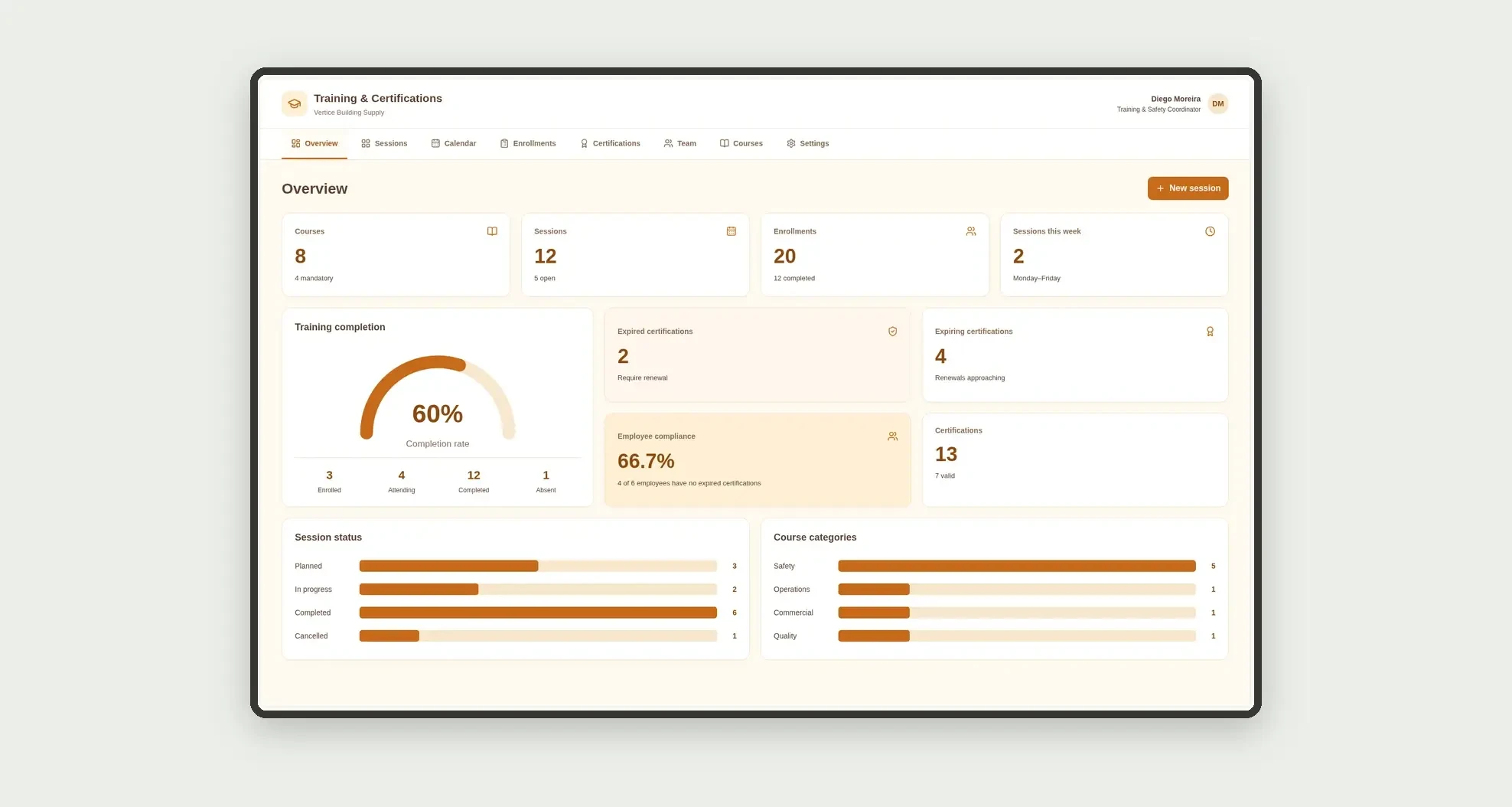
Organize courses, calendar sessions, enrollments with attendance, expiring or overdue credentials, and each person's compliance through a board, cards, and linked profiles.
Who it's for
- Distributors and construction or services companies with operational teams
- Training and workplace safety coordinators
- Supervisors tracking sessions and attendance
- Managers who need expiring certifications by employee
What you can do
- Maintain a course catalog with hours and mandatory flags
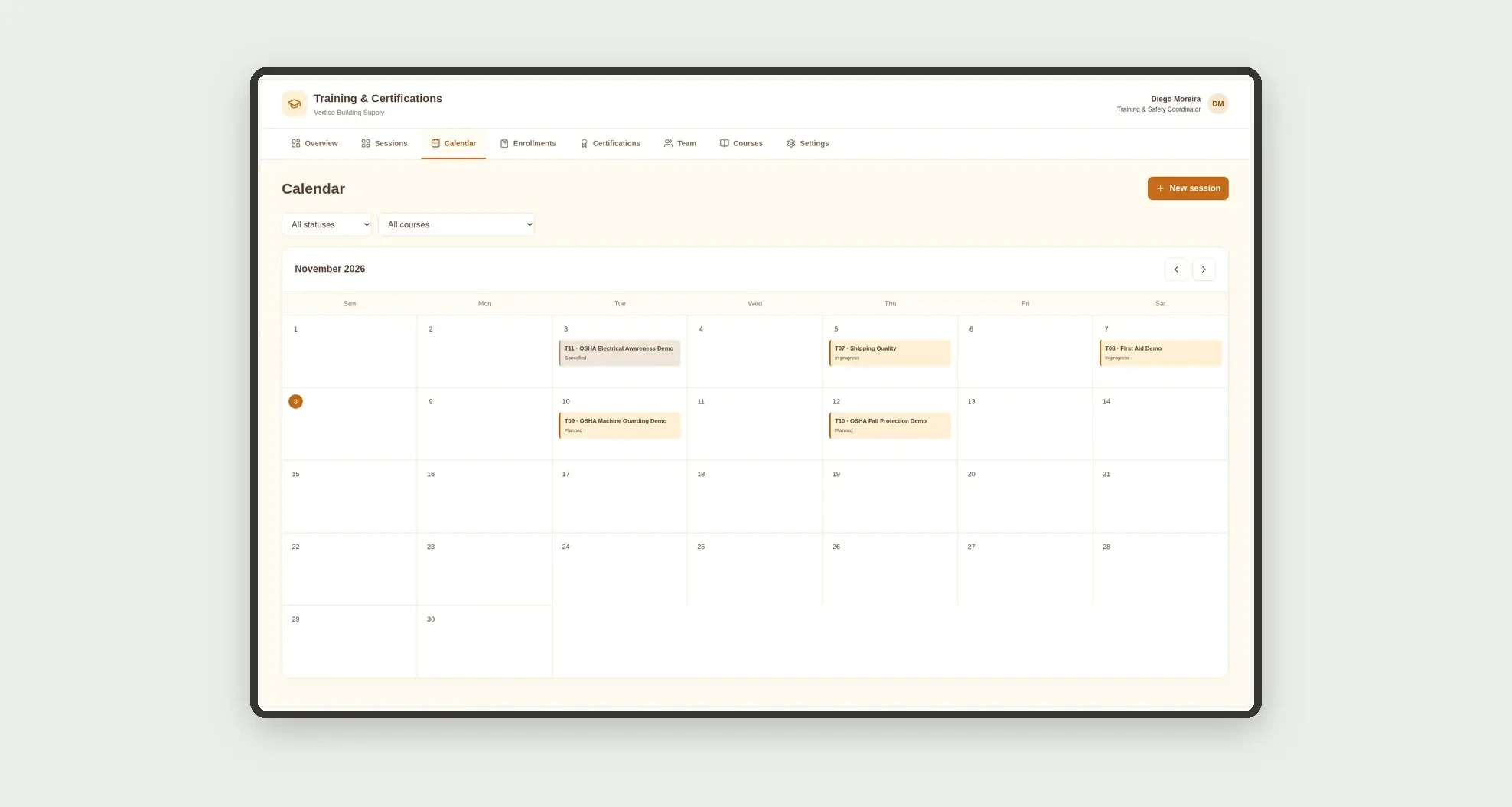
- Schedule sessions on a calendar with instructor and location
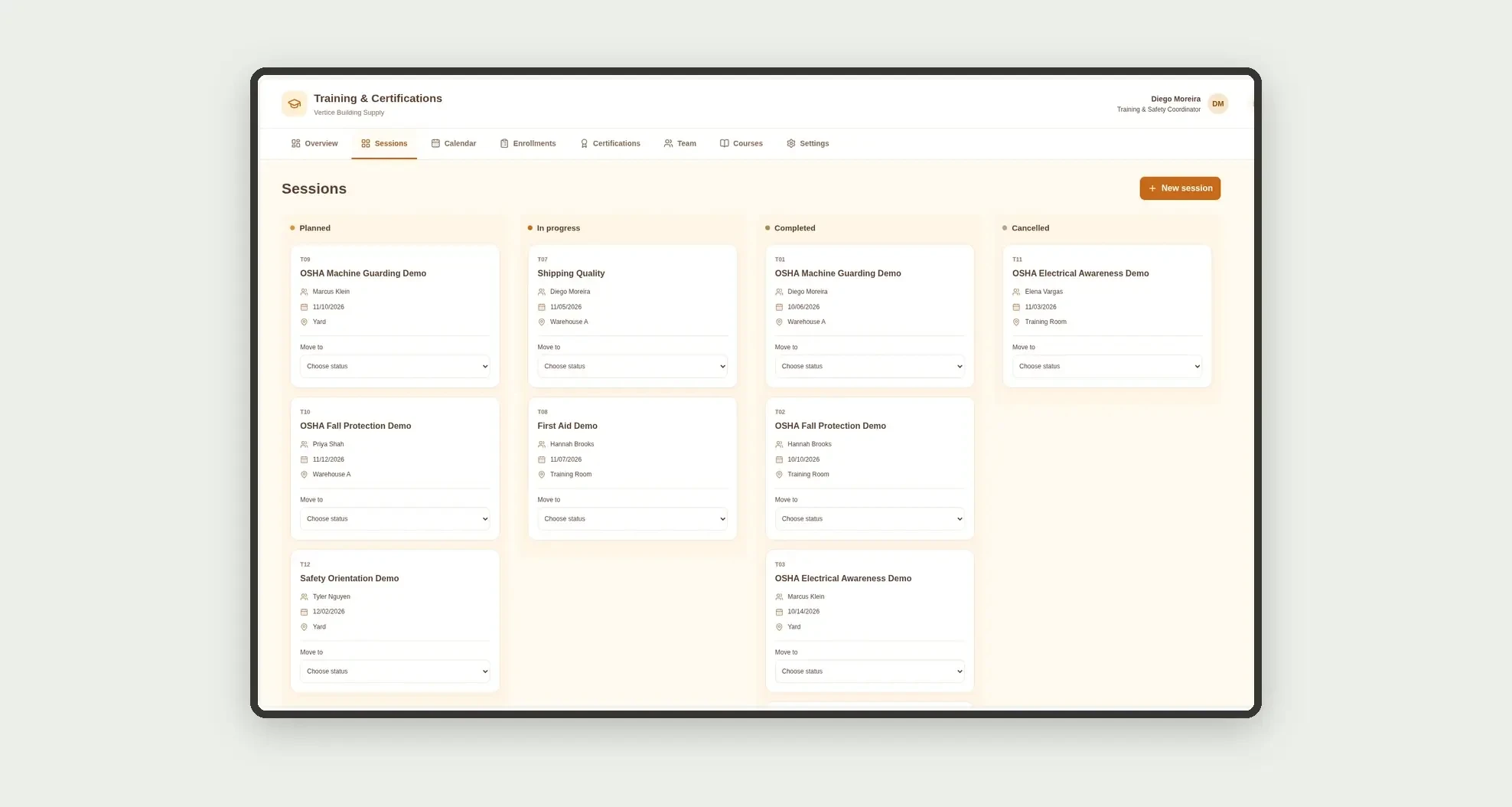
- Track sessions on a stage kanban board
- Log enrollments, attendance, and completion
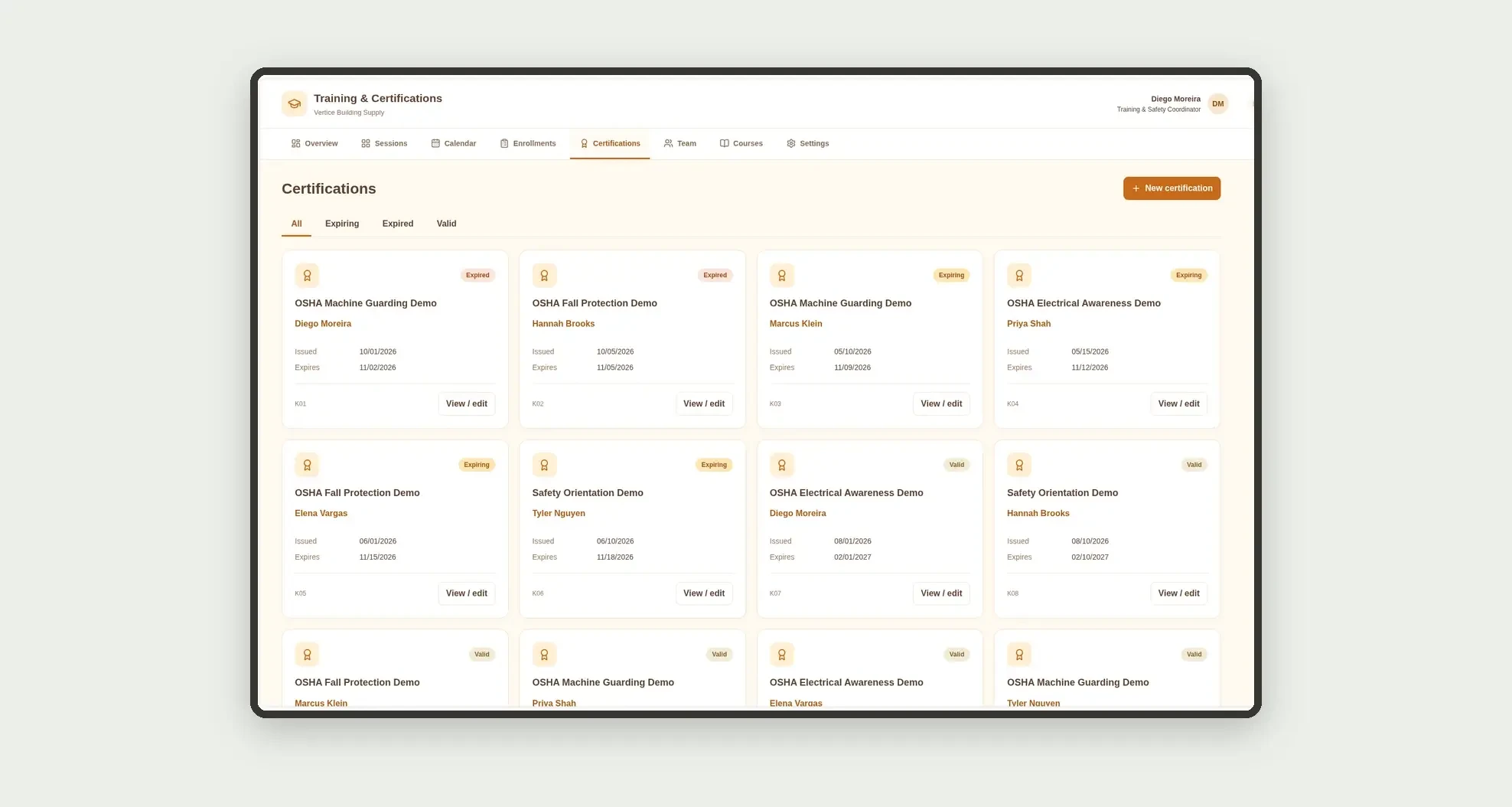
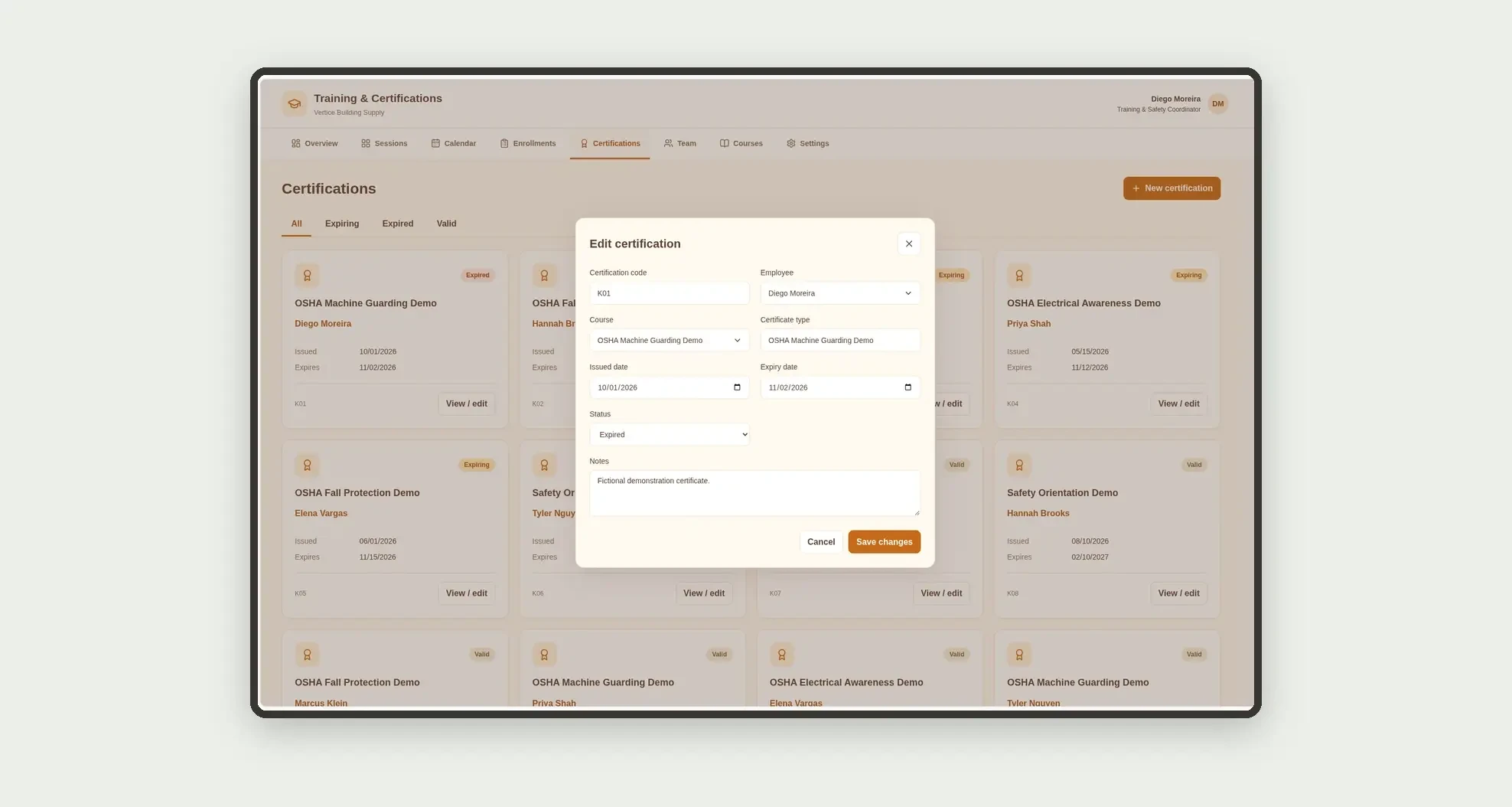
- Control certifications with expiry dates and status
- Filter expiring and overdue certifications
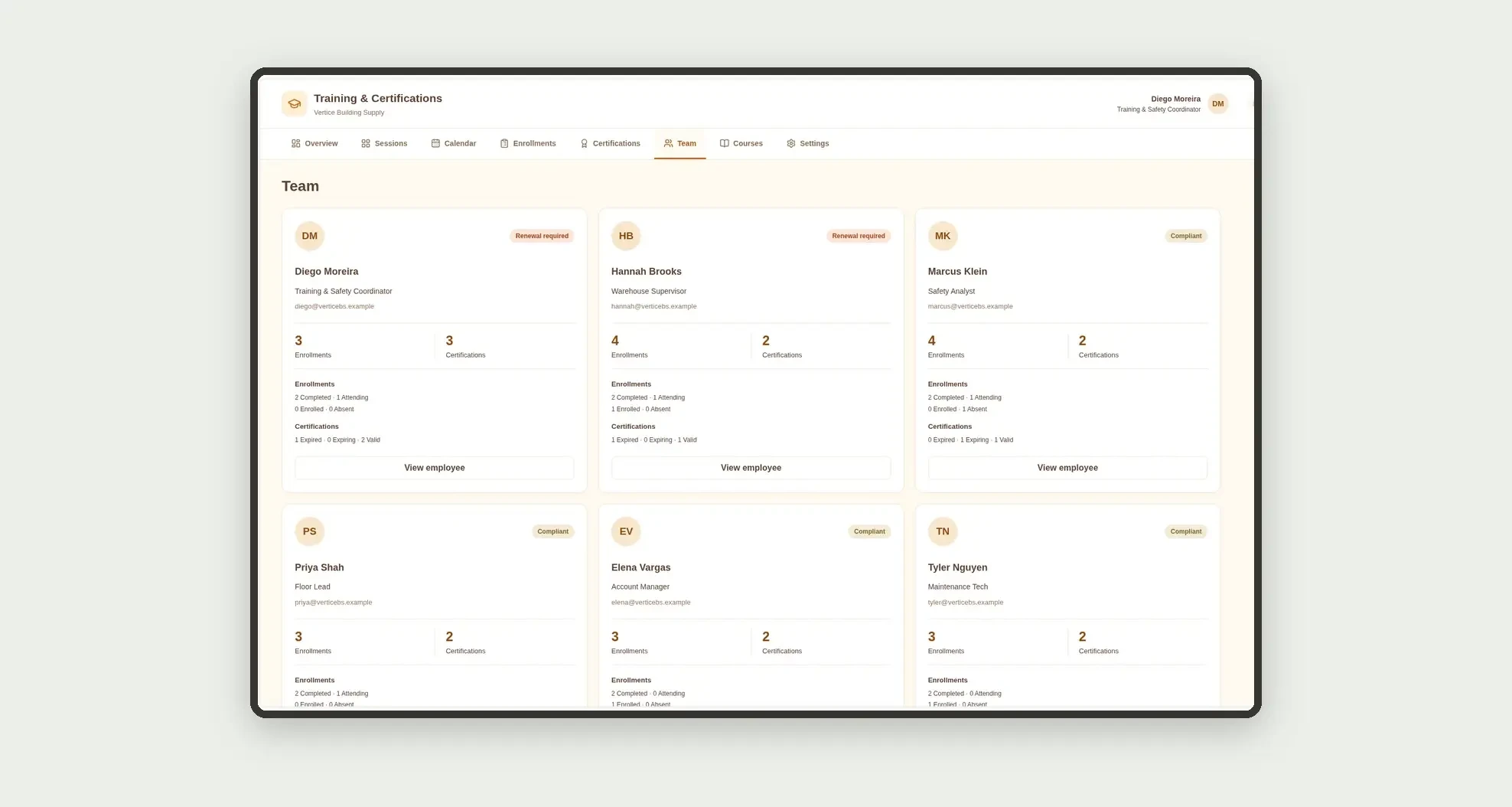
- Follow each employee's compliance on people cards
- Open session profiles with enrollments and dates
App features
Training & Certifications
The Training & Certifications screen covers this part of the operation.
How it works
Set up the team and courses.
Open a session, enroll employees, record attendance and completion.
Issue the fictional certification with an expiry date.
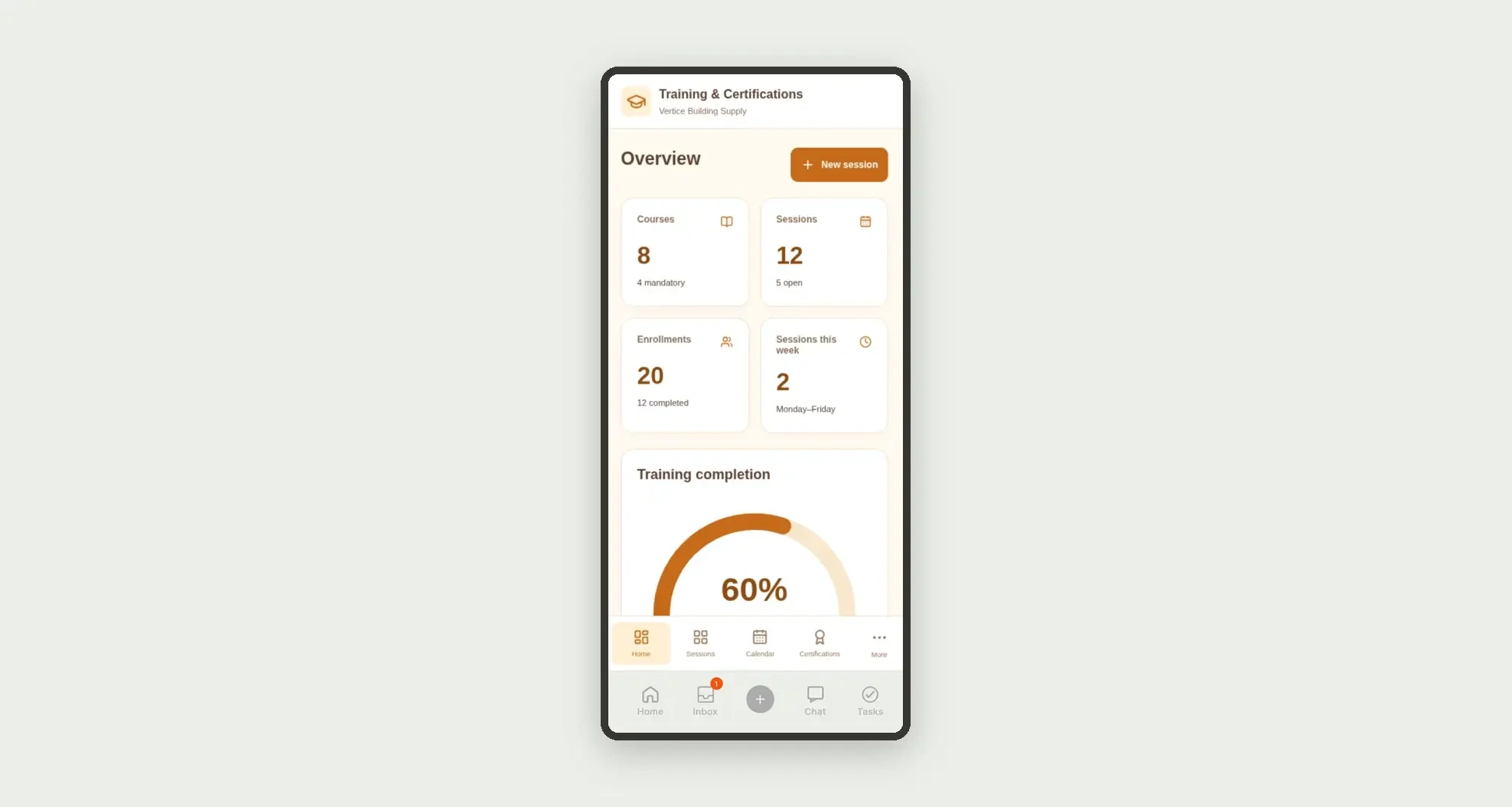
Expired and expiring items stay visible on the dashboard with the enrollment completion rate.
How to set up this template
- 1Click Use App
Create your Jestor account and install Training & Certifications. It works on desktop and mobile.
- 2Set up the team and courses
Set up the team and courses.
- 3Open a session
Open a session, enroll employees, record attendance and completion.
- 4Issue the fictional certification with an expiry date
Issue the fictional certification with an expiry date.
Integrations and customization
The design supports desktop and mobile use. Course categories, session statuses, and certification types can be adapted to operations. No payroll, external LMS, payments, real personal IDs, or external integrations are included.
- Adjust fields, categories, statuses and rules without code.
- Add screens, reports and automations as the operation needs them.
And that's just the start: you can edit any part of this template and go much further just by asking Jestor's AI. Describe what you need, like a new field, automation, report or integration, and the AI builds or adjusts it for you, no code required.
Frequently asked questions
Are the OSHA certifications real?
No. Demonstration types and labels are fictional and only organize expiry dates.
Does the app replace an LMS?
No. It focuses on an internal catalog, sessions, attendance, and expiry control.
How is completion rate calculated?
Completed enrollments divided by total enrollments.
How are team cards calculated?
Enrollments and certifications are grouped by employee, separating status and expired items.
Does the app handle payroll or billing?
No. It focuses on operational training and certification compliance.