What it is
An operations app for accounting and bookkeeping firms that runs clients, compliance deadlines, period work and billing in one place. Recurring obligations, preparer and reviewer tasks, client document requests, timesheets and invoices keep every filing on time and every engagement billed.
Who it's for
- Accounting, tax and bookkeeping firms
- CPA practices that handle monthly, quarterly and annual filings
- Preparers and reviewers who share the workload on each client
- Firm owners who track on-time filing, capacity and receivables
What you can do
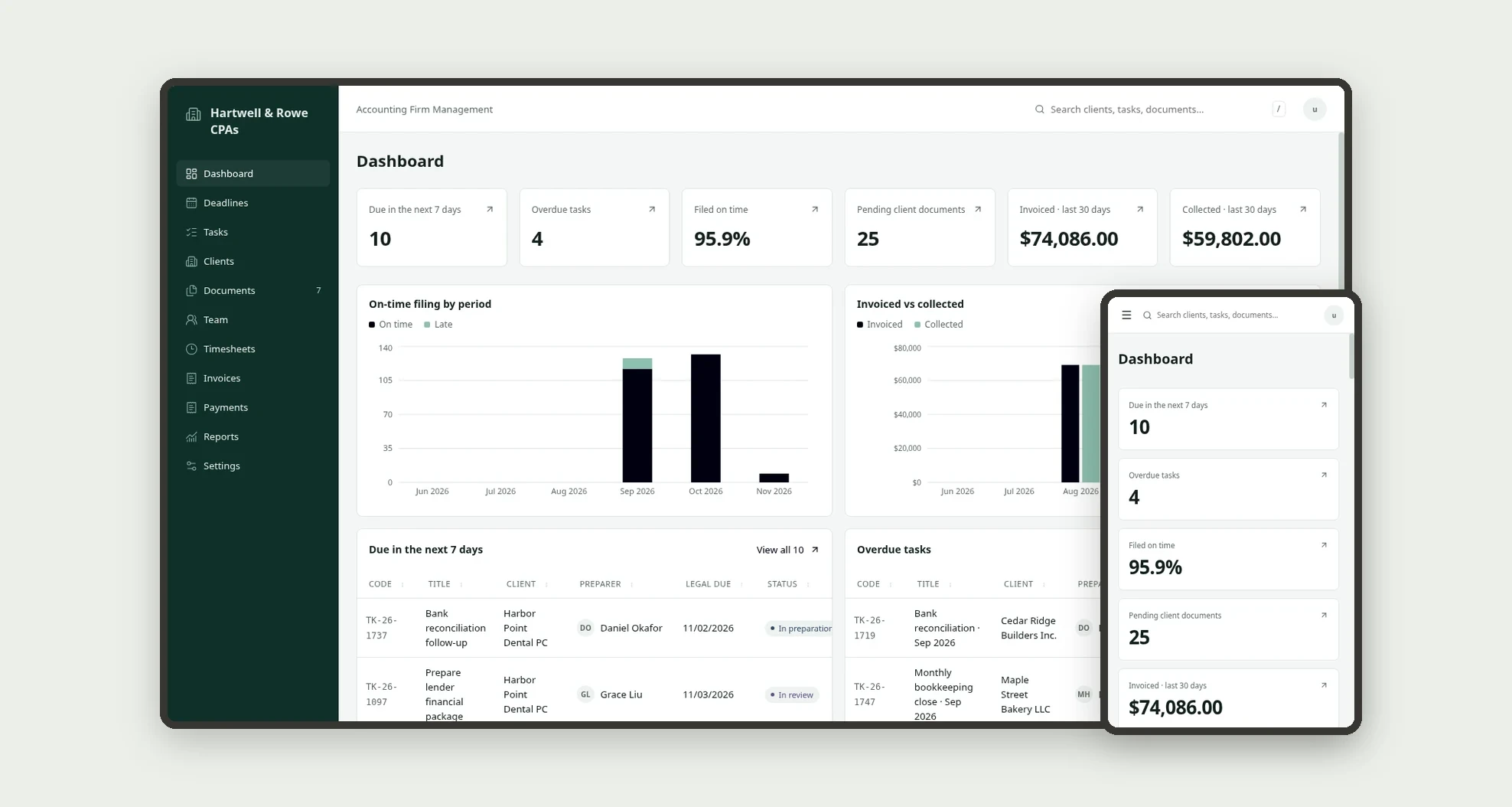
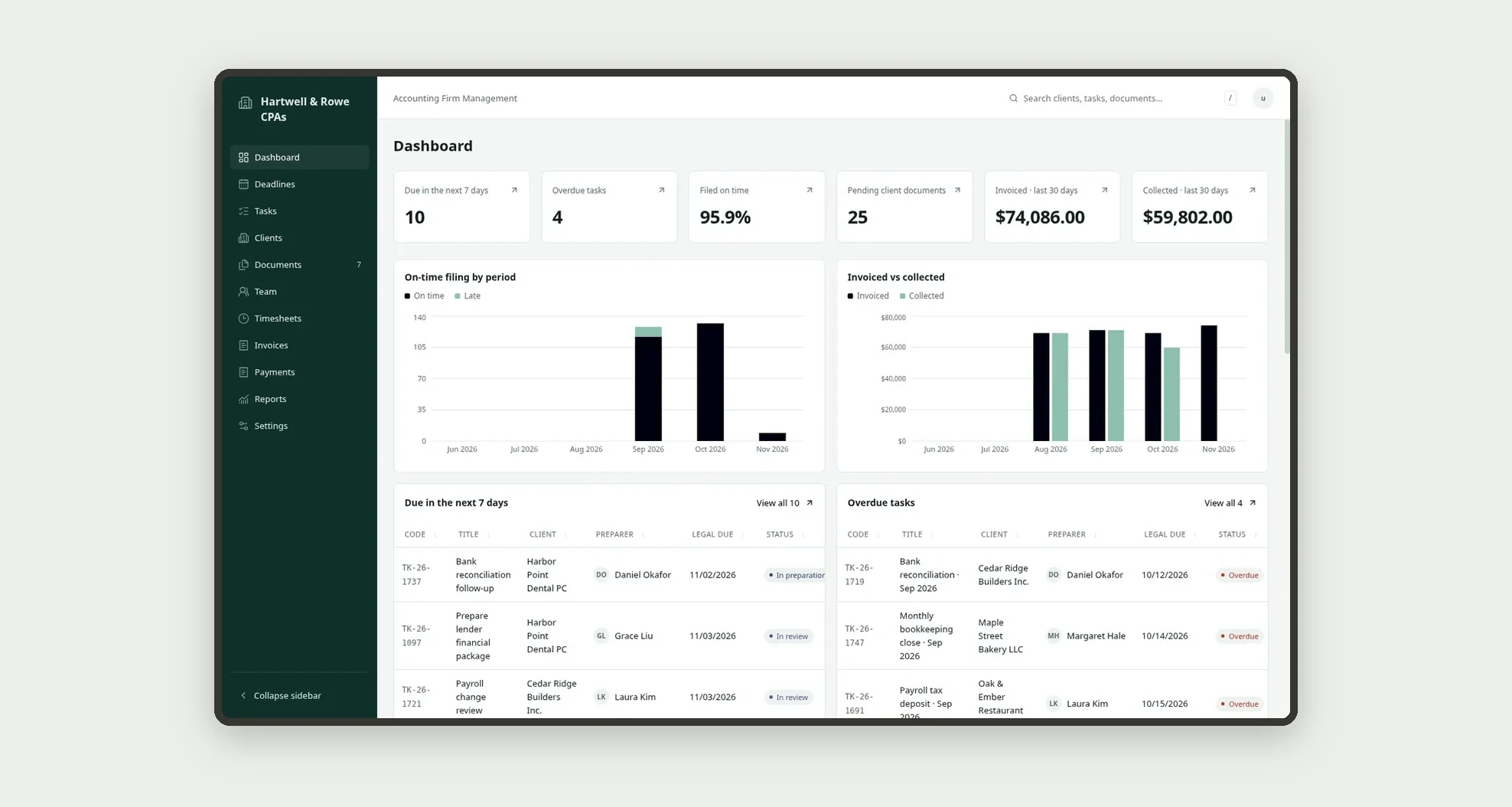
- See what is due in the next 7 days, overdue tasks, the on-time filing rate, pending client documents and invoiced vs collected on the dashboard
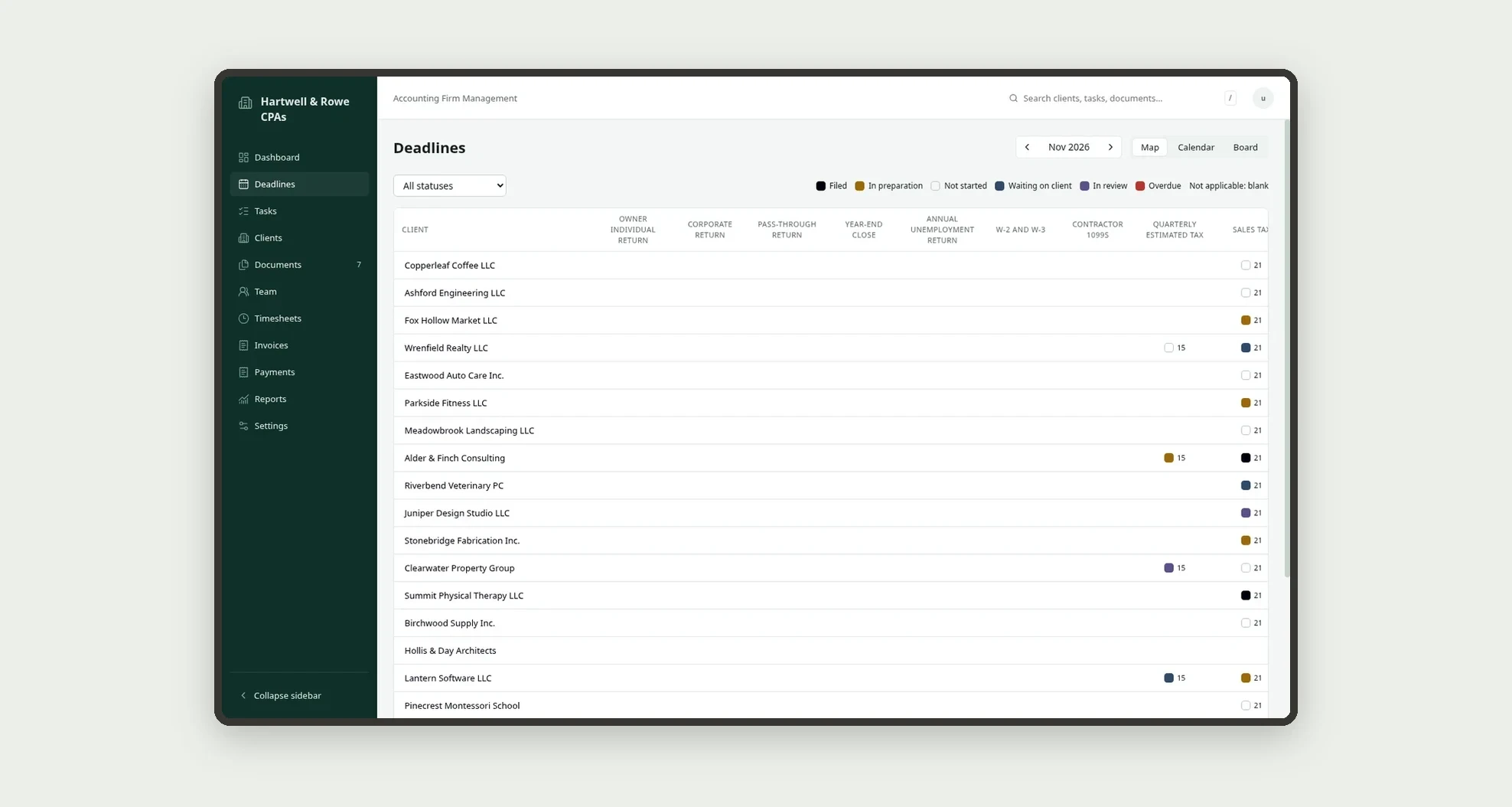
- Follow every client's obligations on the deadline map, or switch to the calendar and board views
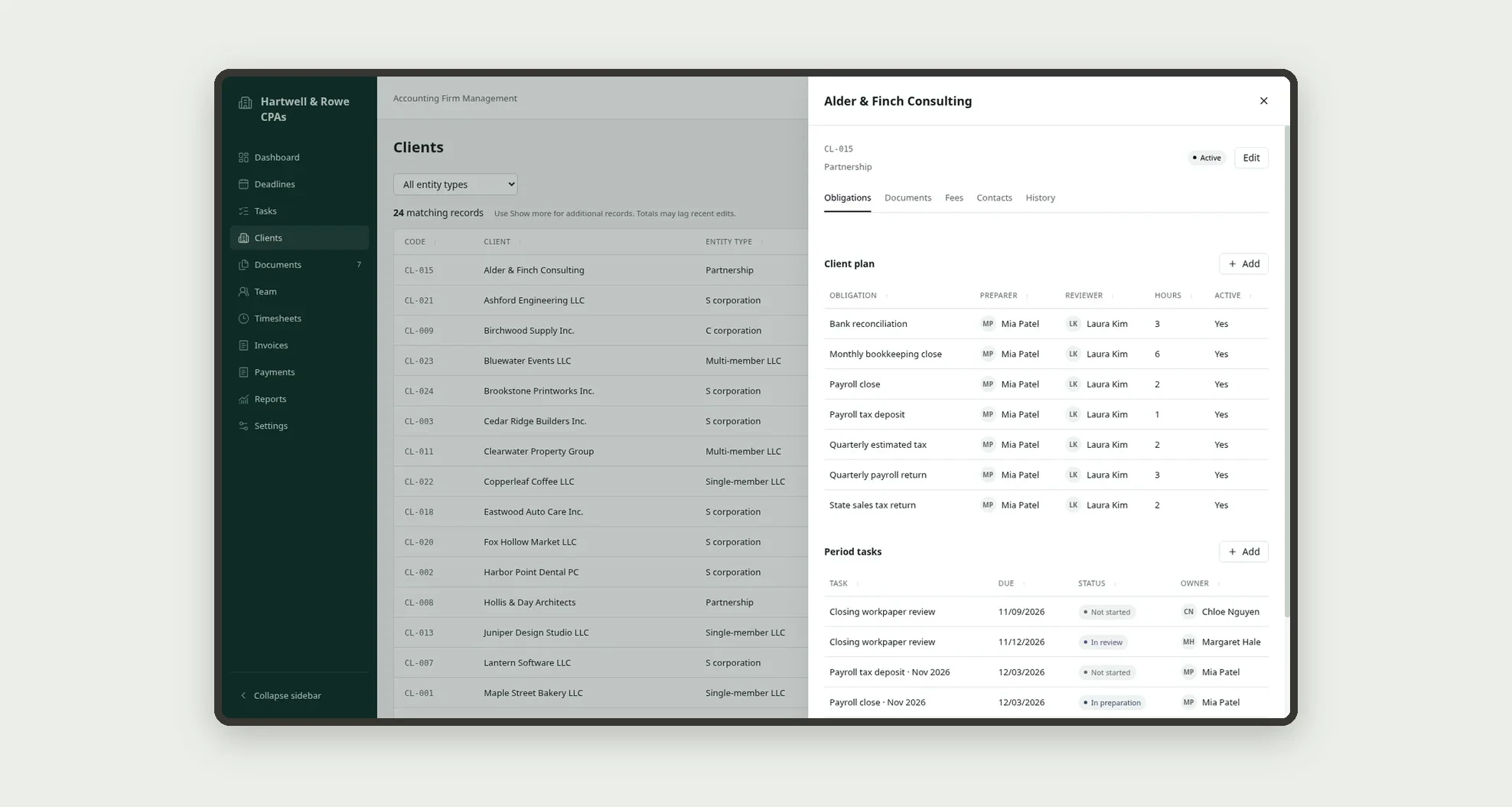
- Set up each client's plan of obligations with a preparer, a reviewer and estimated hours
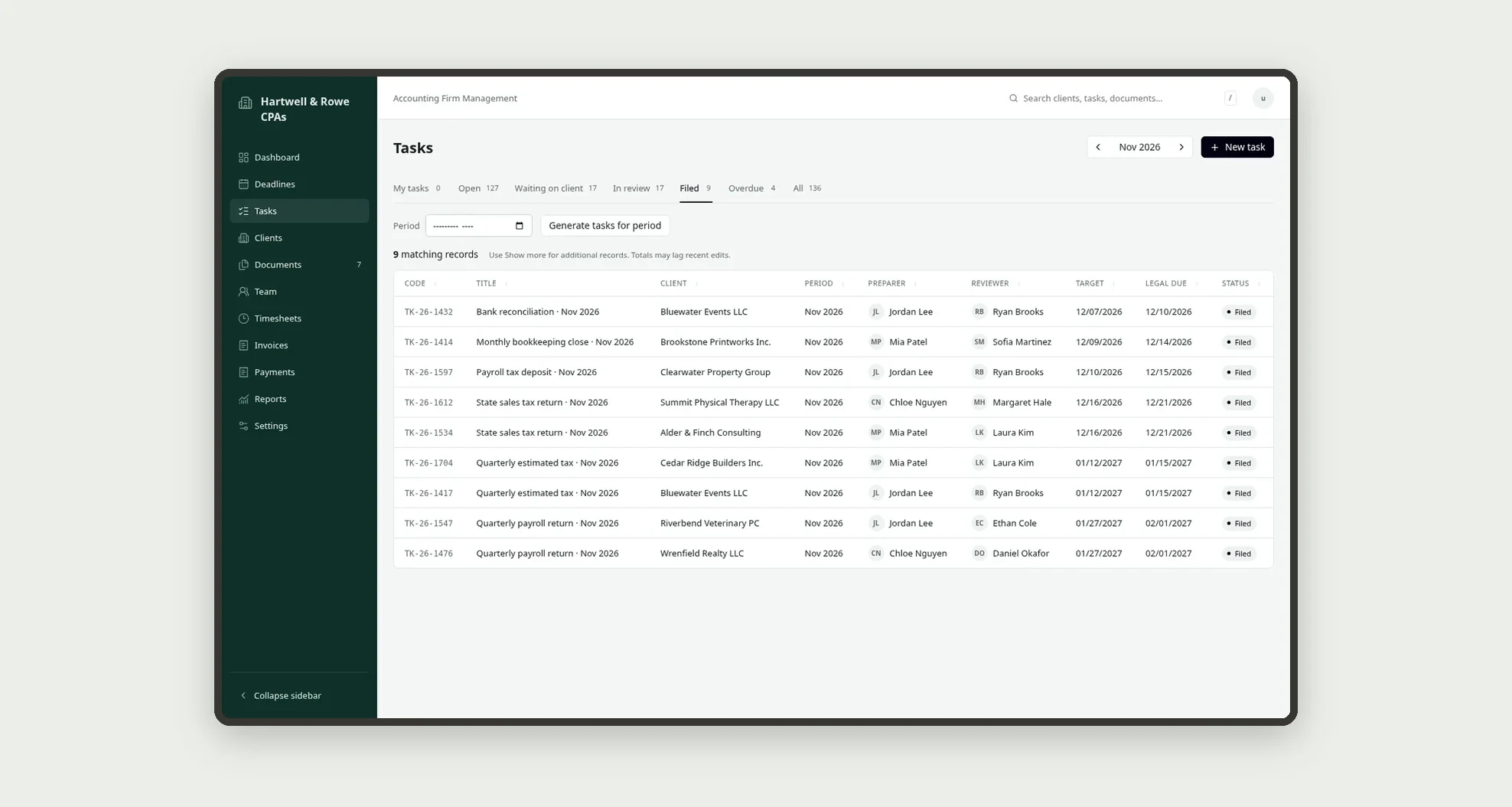
- Generate the period tasks, then move them through preparation, waiting on client, review and filed
- Request documents from clients and track each item until it is received
- Log hours in timesheets and plan staff leave and holidays
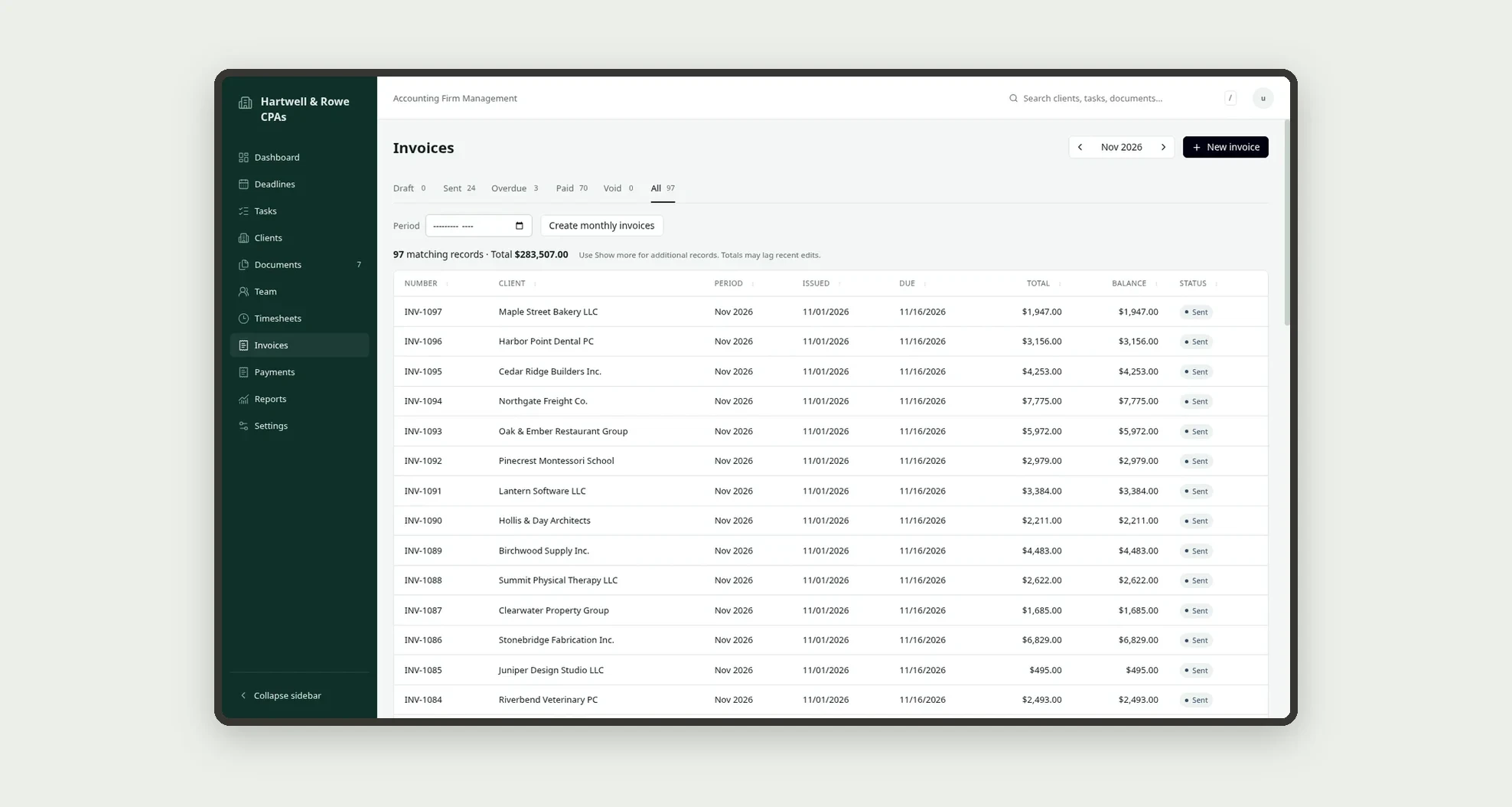
- Create monthly invoices with line items from fee agreements and record payments
- Review the firm's numbers in reports and adjust obligation types and firm settings
App features
Dashboard
Use the dashboard and reports to check deadlines, filing rate and collections.
Deadlines
Use the dashboard and reports to check deadlines, filing rate and collections.
Tasks
Generate the tasks for the period and assign preparers and reviewers.
Clients
Register clients with their contacts, fee agreements and obligation plan.
Documents
Send document requests and follow them in Documents.
Team
The Team screen covers this part of the operation.
Timesheets
Log hours in timesheets and plan staff leave and holidays.
Invoices
Create the monthly invoices and record the payments.
Payments
Create the monthly invoices and record the payments.
Reports
Use the dashboard and reports to check deadlines, filing rate and collections.
Settings
Add your staff, obligation types and firm settings.
How it works
Add your staff, obligation types and firm settings. Register clients with their contacts, fee agreements and obligation plan. Generate the tasks for the period and assign preparers and reviewers.
Send document requests and follow them in Documents. Work the tasks through review until they are filed, logging time as you go.
Create the monthly invoices and record the payments. Use the dashboard and reports to check deadlines, filing rate and collections.
How to set up this template
- 1Click Use App
Create your Jestor account and install Accounting Firm Management. It works on desktop and mobile.
- 2Add your staff
Add your staff, obligation types and firm settings.
- 3Register clients with their contacts
Register clients with their contacts, fee agreements and obligation plan.
- 4Generate the tasks for the period and assign preparers and
Generate the tasks for the period and assign preparers and reviewers.
Integrations and customization
Works on desktop and mobile and follows the Jestor dark mode. Obligation types, task statuses, staff, fee agreements and firm settings can be changed without code, and you can add fields, tables and automations to fit your firm.
- Adjust fields, categories, statuses and rules without code.
- Add screens, reports and automations as the operation needs them.
And that's just the start: you can edit any part of this template and go much further just by asking Jestor's AI. Describe what you need, like a new field, automation, report or integration, and the AI builds or adjusts it for you, no code required.
Frequently asked questions
Can I track different filing deadlines per client?
Yes. Each client has its own plan of obligations, and the deadline map shows the status of each one for the selected month.
Does it separate preparer and reviewer?
Yes. Every obligation and task has a preparer and a reviewer, and tasks move to In review before they are filed.
How do I ask clients for documents?
Create a document request on the client with its items, and follow what is still pending in Documents.
Can I bill clients monthly?
Yes. Fee agreements feed the monthly invoices, and payments update each invoice balance.