What it is
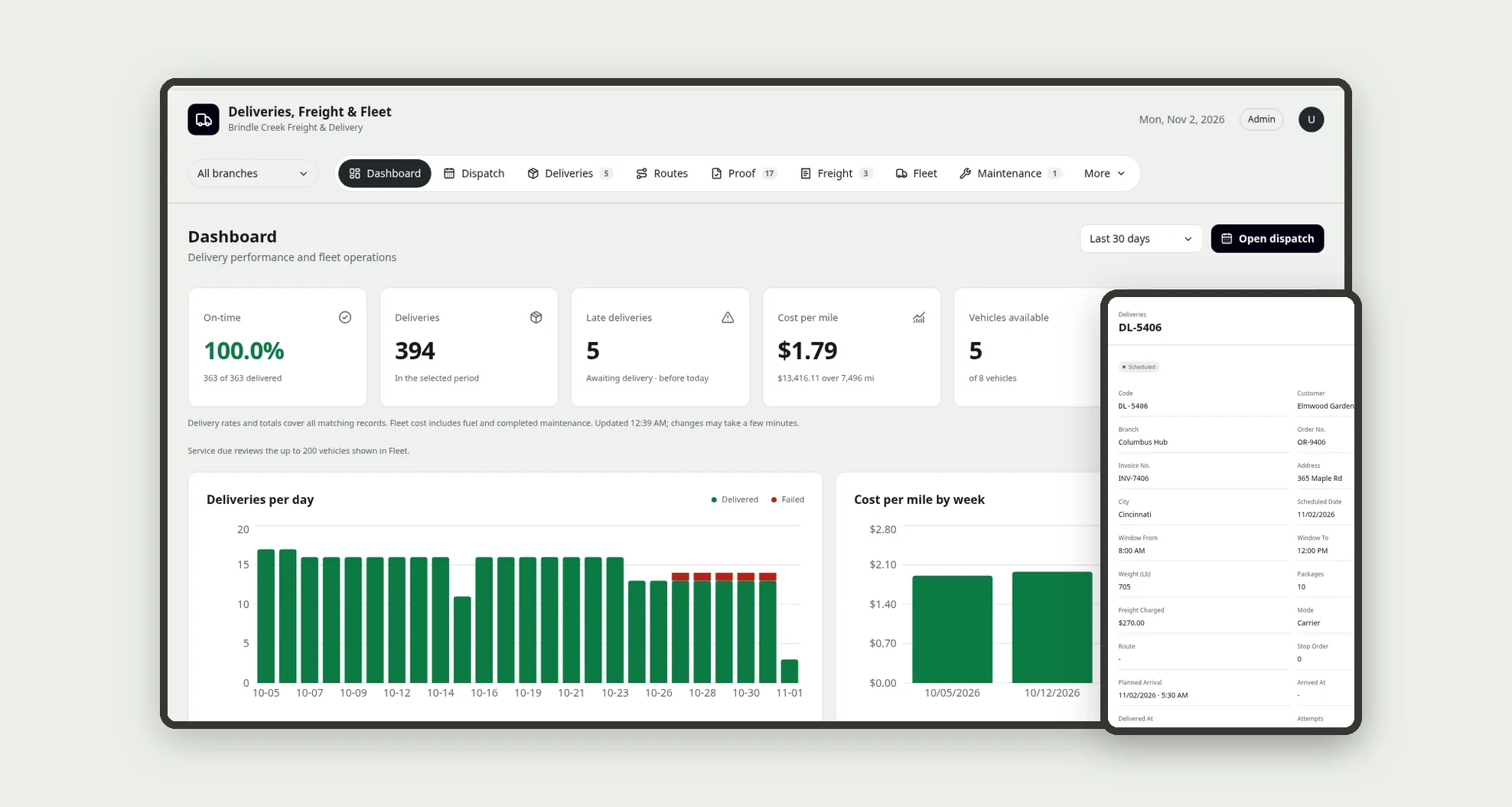
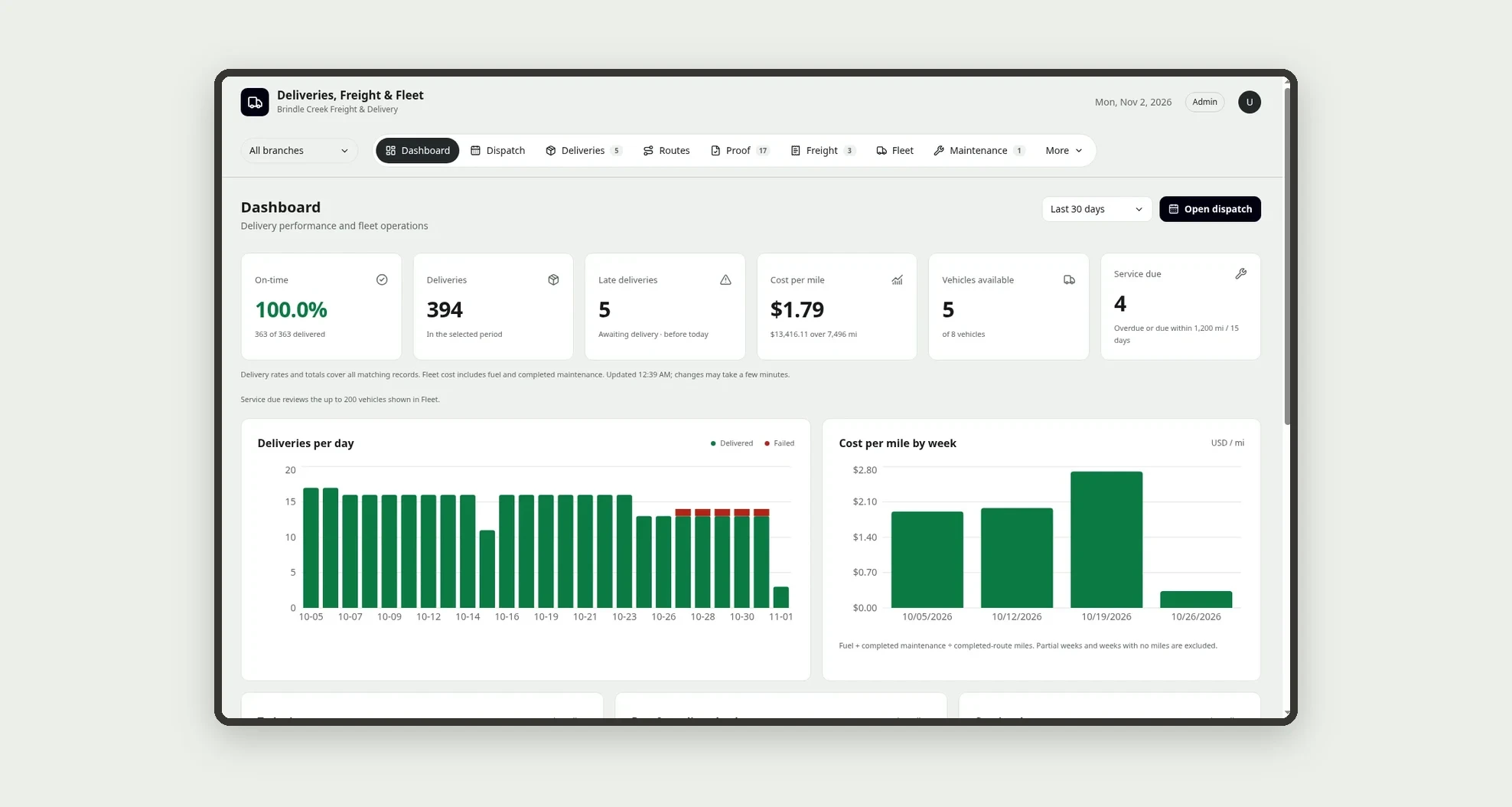
A template for regional delivery companies and in-house delivery operations to run the whole day in one place: the day's routes on a dispatch board, deliveries with a photo of the signed receipt from the driver's phone, freight with three carrier quotes and invoice reconciliation, fleet, maintenance, fuel and incidents. The dashboard shows at a glance the on-time rate, the cost per mile and which vehicles are due or overdue for service.
Who it's for
- Regional delivery companies with their own fleet and partner carriers for long hauls
- Distributors, wholesalers and manufacturers that deliver their own orders
- Dispatchers who build the day's routes and follow every stop
- Drivers who record arrival, delivery and proof of delivery by phone
- Fleet managers and finance teams that control maintenance, fuel and freight spend
What you can do
- Filter every screen by branch with the branch picker in the top bar
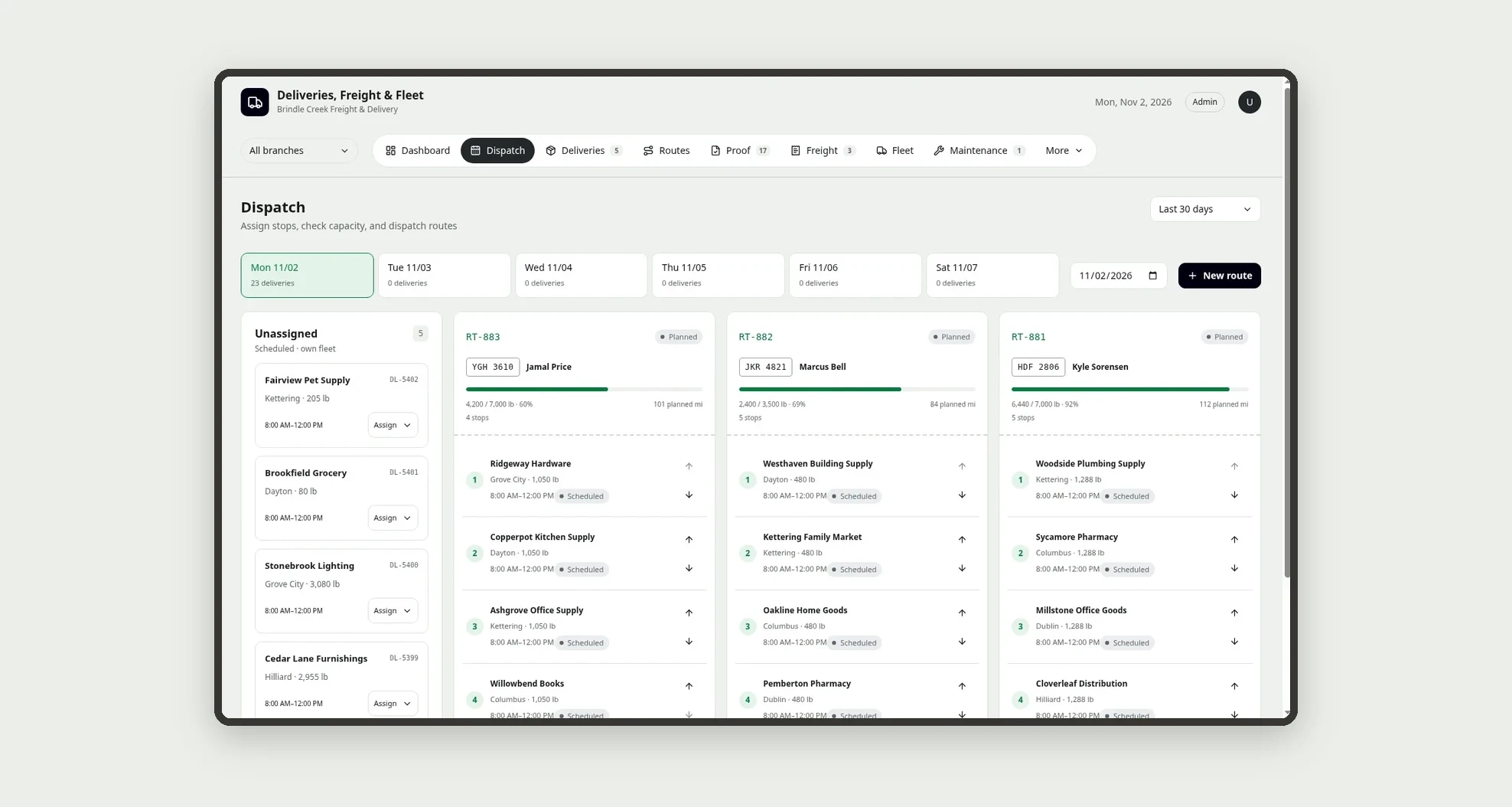
- Build the day's routes on the Dispatch board, with one lane per vehicle, numbered stops, a capacity bar and an "Unassigned" column
- Dispatch a route and print or save as PDF the manifest with stops, packages, weight and signature lines
- Follow each route on the route strip (delivered, pending, failed) with planned vs actual arrival and planned vs actual miles
- Review receipt photos and approve or reject them with a reason
- Compare 3 freight quotes side by side, book within the approval limit and reconcile the carrier invoice with the agreed price
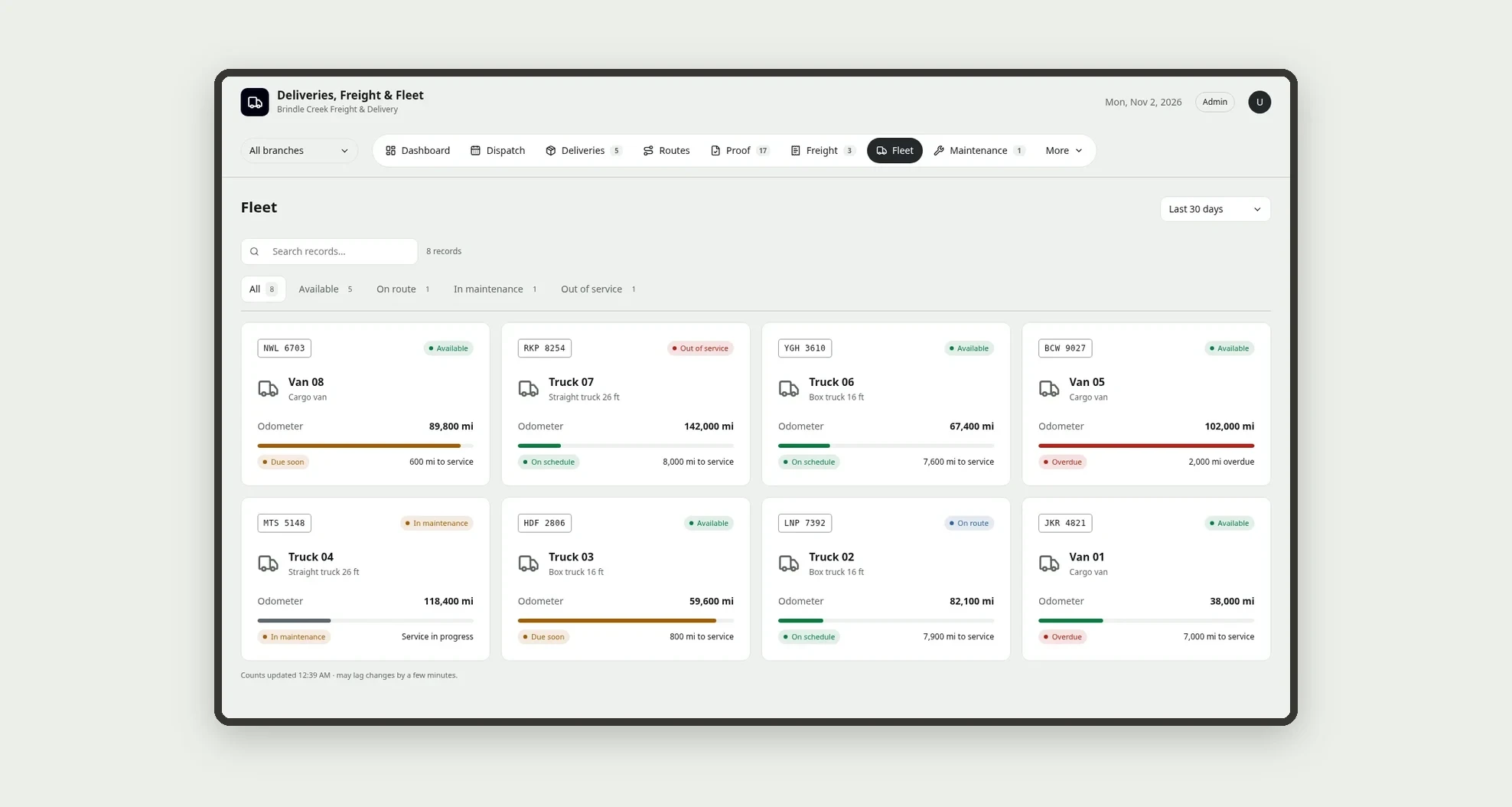
- See the fleet as cards with plate, status and service meter, plus maintenance, fuel and mpg per vehicle
- Record incidents such as delays, cargo damage, accidents, breakdowns and traffic tickets, with severity, cost and action taken
App features
Dashboard
The Dashboard and Reports show the on-time rate, the first-attempt rate, cost per mile, freight by carrier and service overdue or due soon, all computed by the app from the records.
Dispatch
Dispatch a route and print or save as PDF the manifest with stops, packages, weight and signature lines.
Deliveries
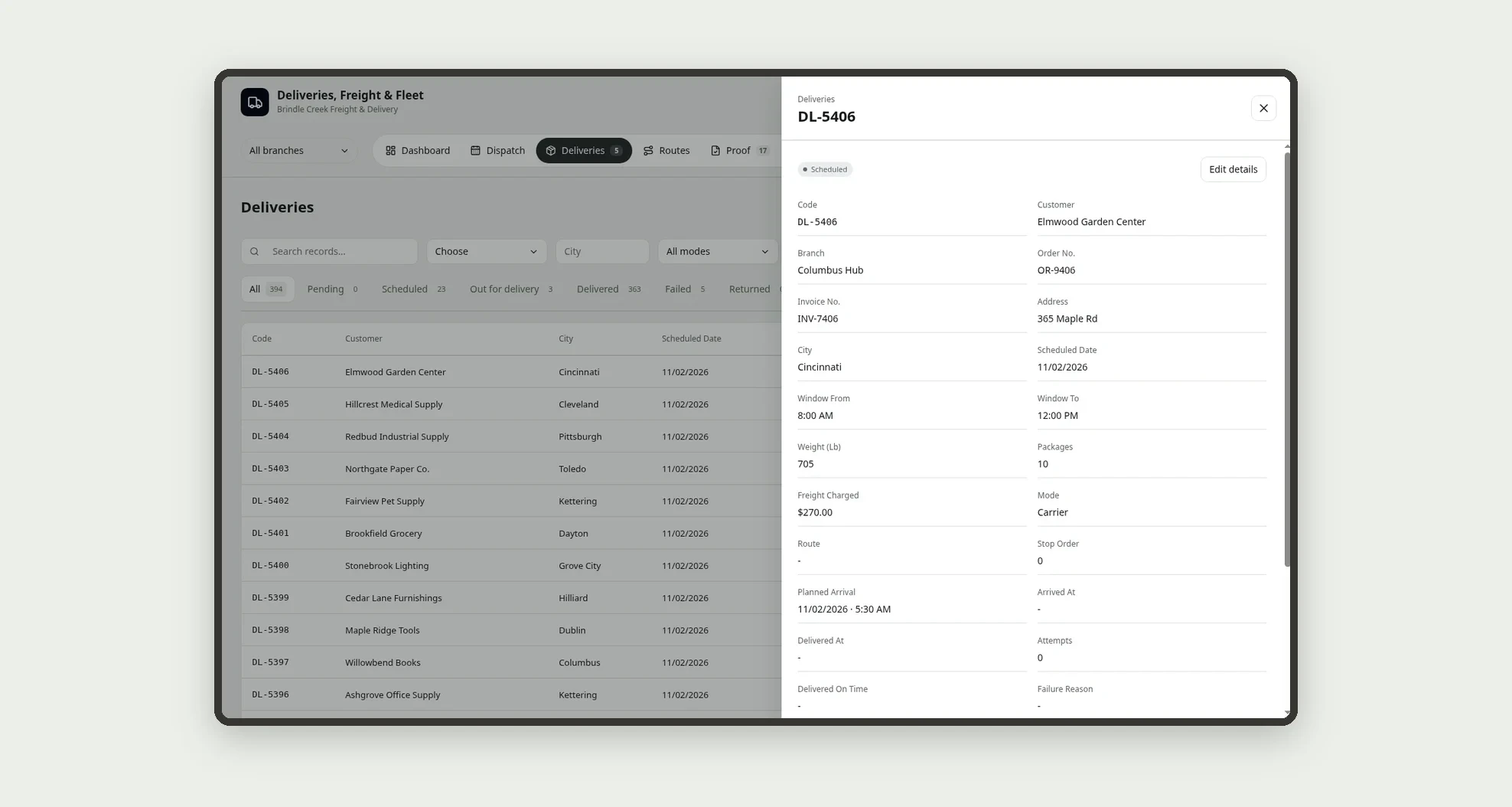
Long-haul deliveries go through a carrier: quote, booking, invoice and reconciliation of the difference.
Routes
Build the day's routes on the Dispatch board, with one lane per vehicle, numbered stops, a capacity bar and an "Unassigned" column.
Proof
The Proof screen covers this part of the operation.
Freight
Compare 3 freight quotes side by side, book within the approval limit and reconcile the carrier invoice with the agreed price.
Fleet
See the fleet as cards with plate, status and service meter, plus maintenance, fuel and mpg per vehicle.
Maintenance
A failed pre-trip check keeps the vehicle from leaving and opens a corrective maintenance; a failed delivery can be rescheduled or returned to sender.
Fuel
See the fleet as cards with plate, status and service meter, plus maintenance, fuel and mpg per vehicle.
Incidents
Record incidents such as delays, cargo damage, accidents, breakdowns and traffic tickets, with severity, cost and action taken.
Reports
The Dashboard and Reports show the on-time rate, the first-attempt rate, cost per mile, freight by carrier and service overdue or due soon, all computed by the app from the records.
Directory
Add the company, branches, team, customers, carriers and vendors and service plans in Directory.
My route (driver)
The My route (driver) screen covers this part of the operation.
How it works
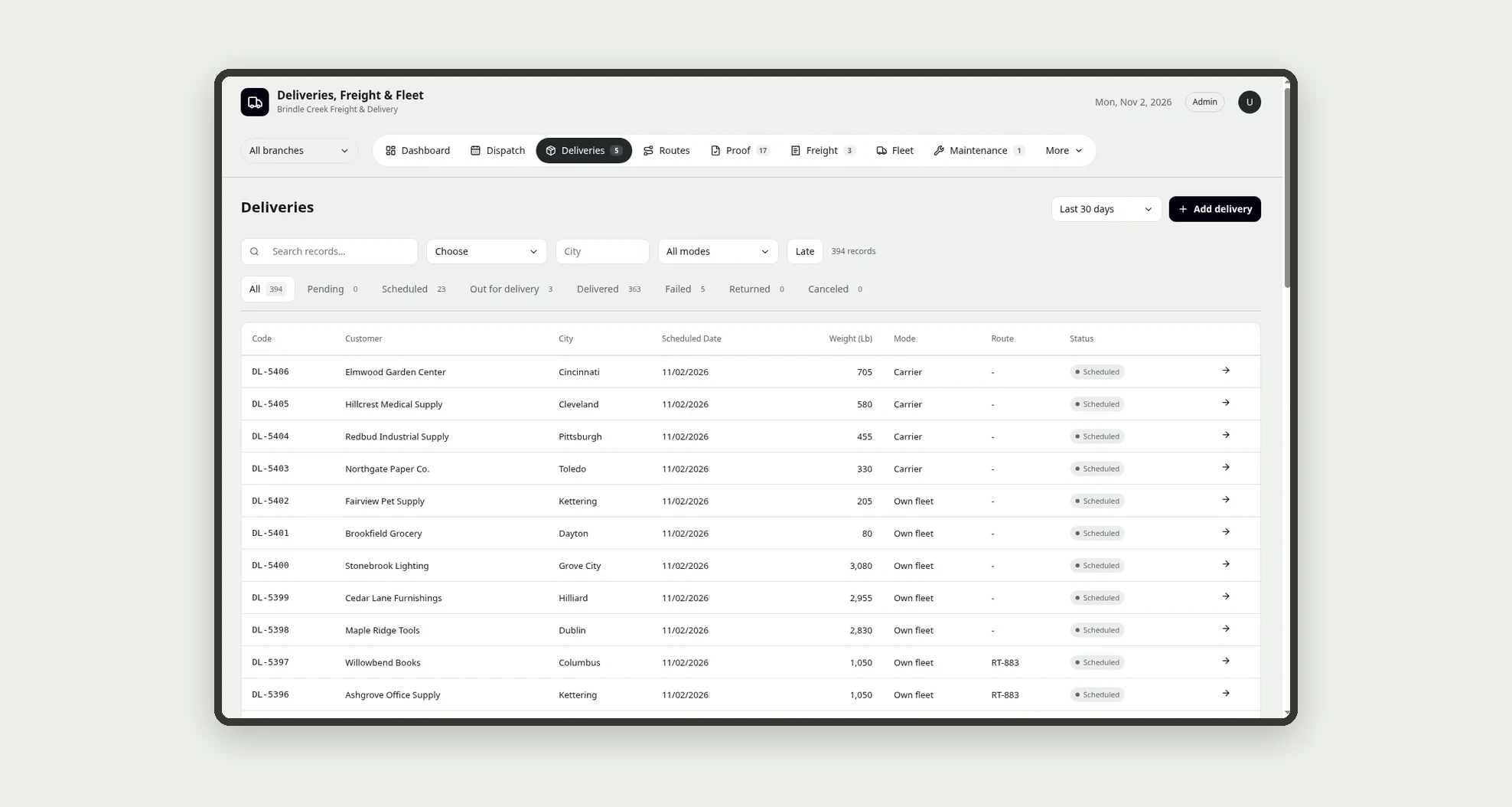
Add the company, branches, team, customers, carriers and vendors and service plans in Directory. Deliveries come in as Pending and move to Scheduled; on Dispatch, the dispatcher assigns each one to a route and dispatches the route.
In My route, the driver fills in the pre-trip check and the odometer, starts the route and marks each stop as Delivered (with receiver and receipt photo) or Failed (with a reason). A failed pre-trip check keeps the vehicle from leaving and opens a corrective maintenance; a failed delivery can be rescheduled or returned to sender.
Long-haul deliveries go through a carrier: quote, booking, invoice and reconciliation of the difference. The Dashboard and Reports show the on-time rate, the first-attempt rate, cost per mile, freight by carrier and service overdue or due soon, all computed by the app from the records.
How to set up this template
- 1Click Use App
Create your Jestor account and install Deliveries, Freight & Fleet. It works on desktop and mobile.
- 2Add the company
Add the company, branches, team, customers, carriers and vendors and service plans in Directory.
- 3Deliveries come in as Pending and move to Scheduled; on Dispatch
Deliveries come in as Pending and move to Scheduled; on Dispatch, the dispatcher assigns each one to a route and dispatches the route.
- 4In My route
In My route, the driver fills in the pre-trip check and the odometer, starts the route and marks each stop as Delivered (with receiver and receipt photo) or Failed (with a reason).
Integrations and customization
The template works on desktop and mobile and can be adapted without code.
- Works on desktop and mobile; My route is built for drivers on the road, with large buttons
- Follows the Jestor light or dark theme automatically
- Admin, Dispatcher, Driver, Fleet and Finance roles control what each person sees
- The approval limit, on-time tolerance, cost per mile target, mpg alert, service plans and fields can be adjusted without code
And that's just the start: you can edit any part of this template and go much further just by asking Jestor's AI. Describe what you need, like a new field, automation, report or integration, and the AI builds or adjusts it for you, no code required.
Frequently asked questions
When does a delivery count as on time?
When it is delivered on the scheduled date by the end of the customer's receiving window, plus the tolerance set in Company settings. The app saves this on each delivery when it is marked Delivered.
How does the app calculate cost per mile?
It adds fuel and completed maintenance for the period and divides by the miles of the completed routes. The result is computed from your own records.
What happens when a pre-trip check fails?
The route can't start with that vehicle, which goes In maintenance, and the app schedules a corrective maintenance.
How does freight invoice reconciliation work?
The carrier invoice is compared with the agreed price; a difference of up to 1% is Matched, anything above is Divergent until it is accepted with a note.
Can I use the template with the sample data?
Yes. The data is fictitious and lets you explore the app before adding your own operation.