What it is
An inventory and warehouse app for distributors that want to always know what is on hand, where it is, what to reorder and what moved today. Manage stock by warehouse, bin and lot, with receiving, picking, transfers and cycle counts in one place.
Who it's for
- Distributors and wholesalers with one or more warehouses
- Warehouse managers who control bins and counts
- Buyers who reorder from suppliers
- Pickers who receive and pick orders on a phone
- Companies moving off stock spreadsheets
What you can do
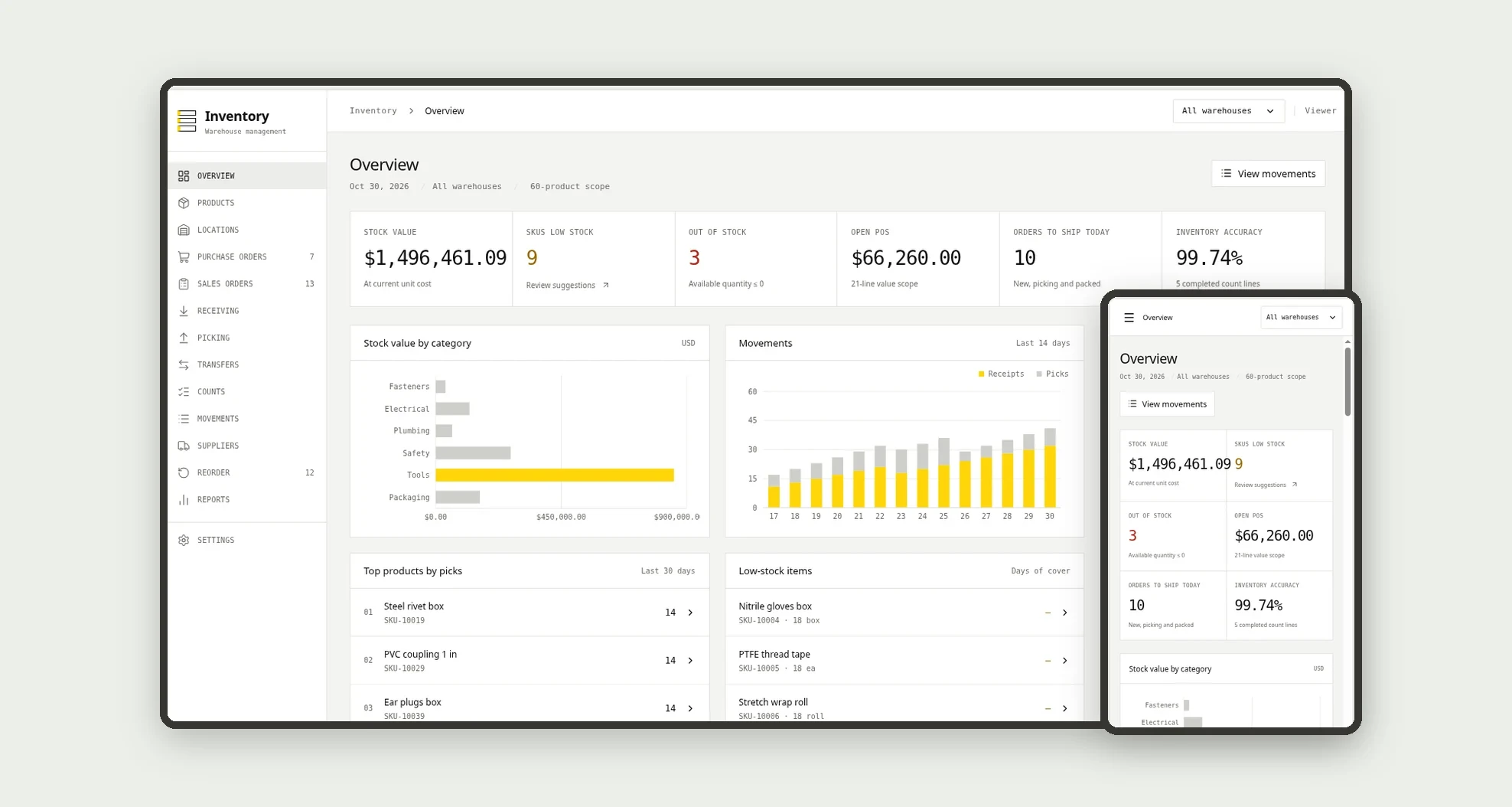
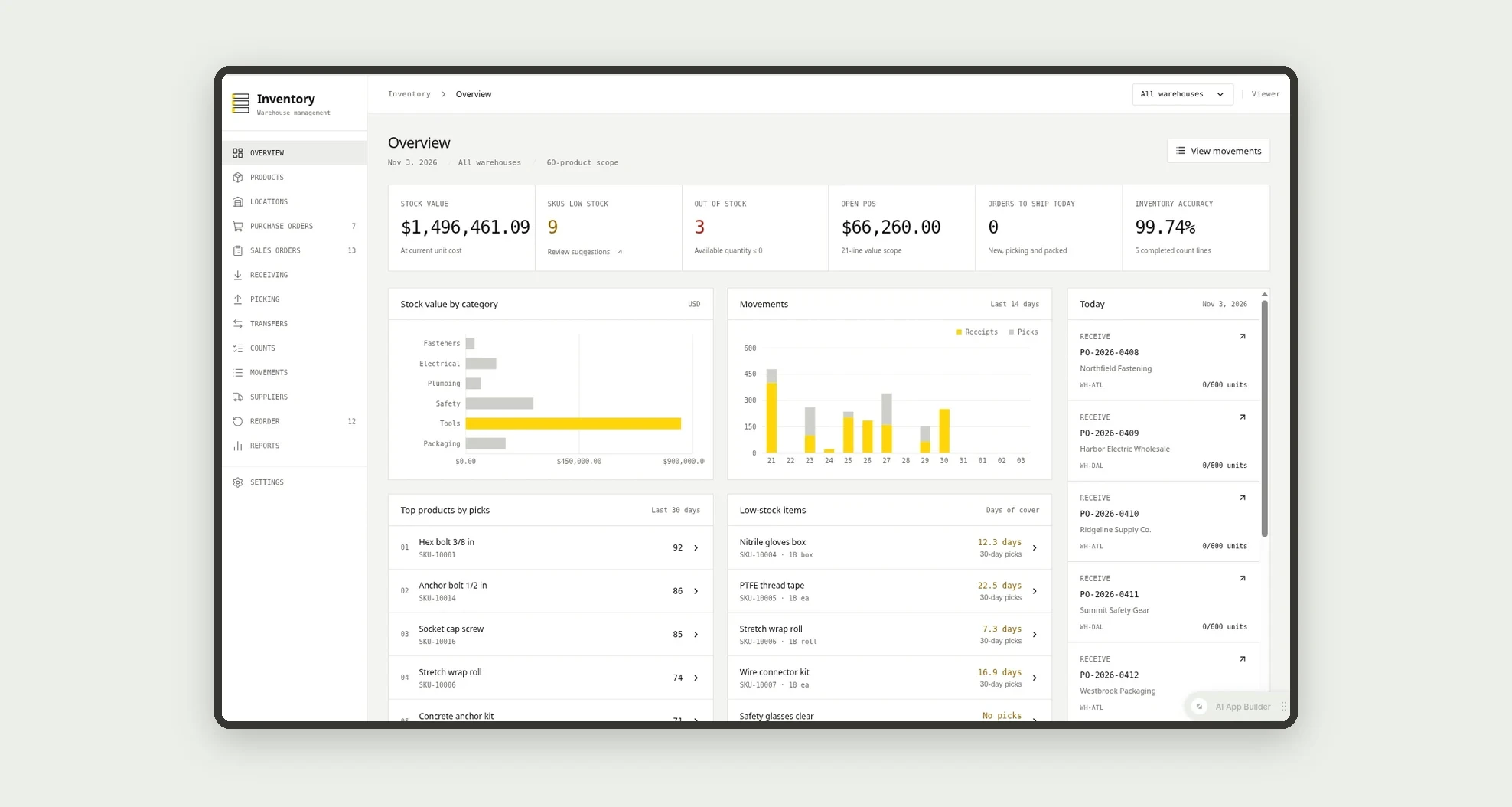
- See stock value, low stock, out of stock, open purchase orders, orders to ship today and inventory accuracy on the overview
- Track stock by warehouse, bin, lot and expiry date
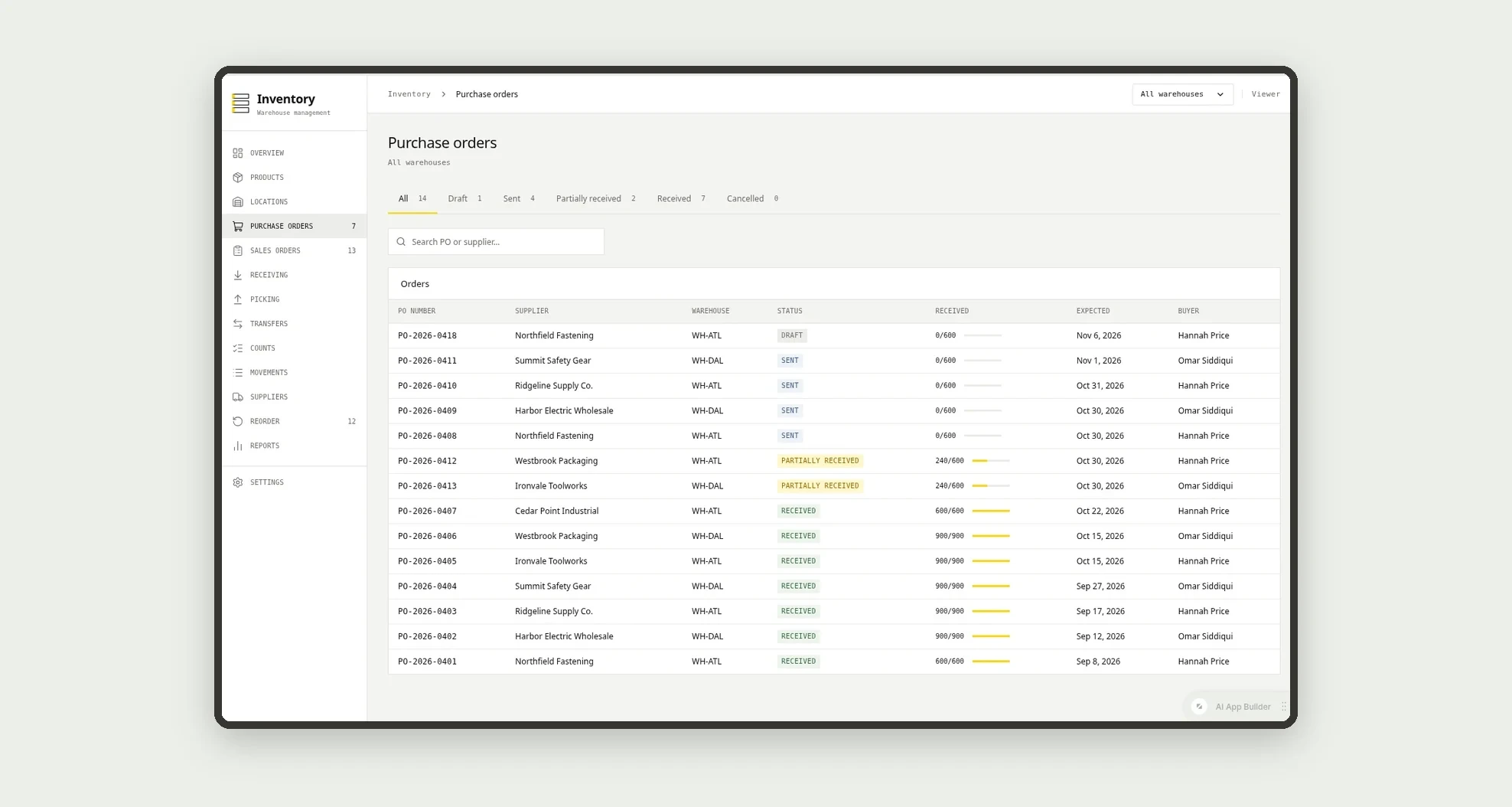
- Receive purchase orders in full or in part
- Reserve and pick sales orders, earliest expiry first for lot-tracked items
- Transfer stock between warehouses with in transit quantities
- Run cycle counts with manager approval when the variance is above 2%
- Get reorder suggestions grouped by supplier and create purchase orders
- Follow days of cover, movements and stock value in reports
App features
Overview
See stock value, low stock, out of stock, open purchase orders, orders to ship today and inventory accuracy on the overview.
Products
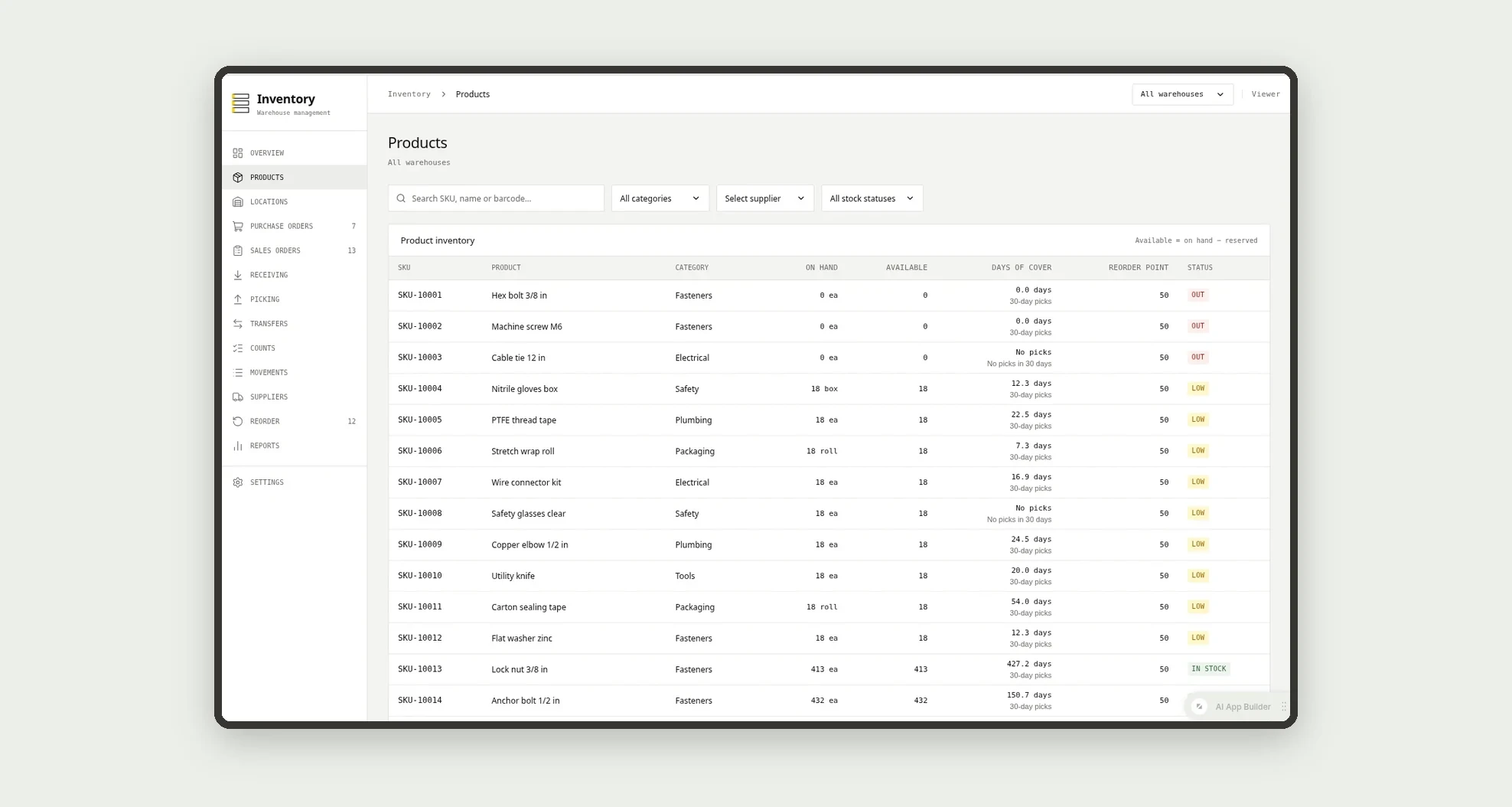
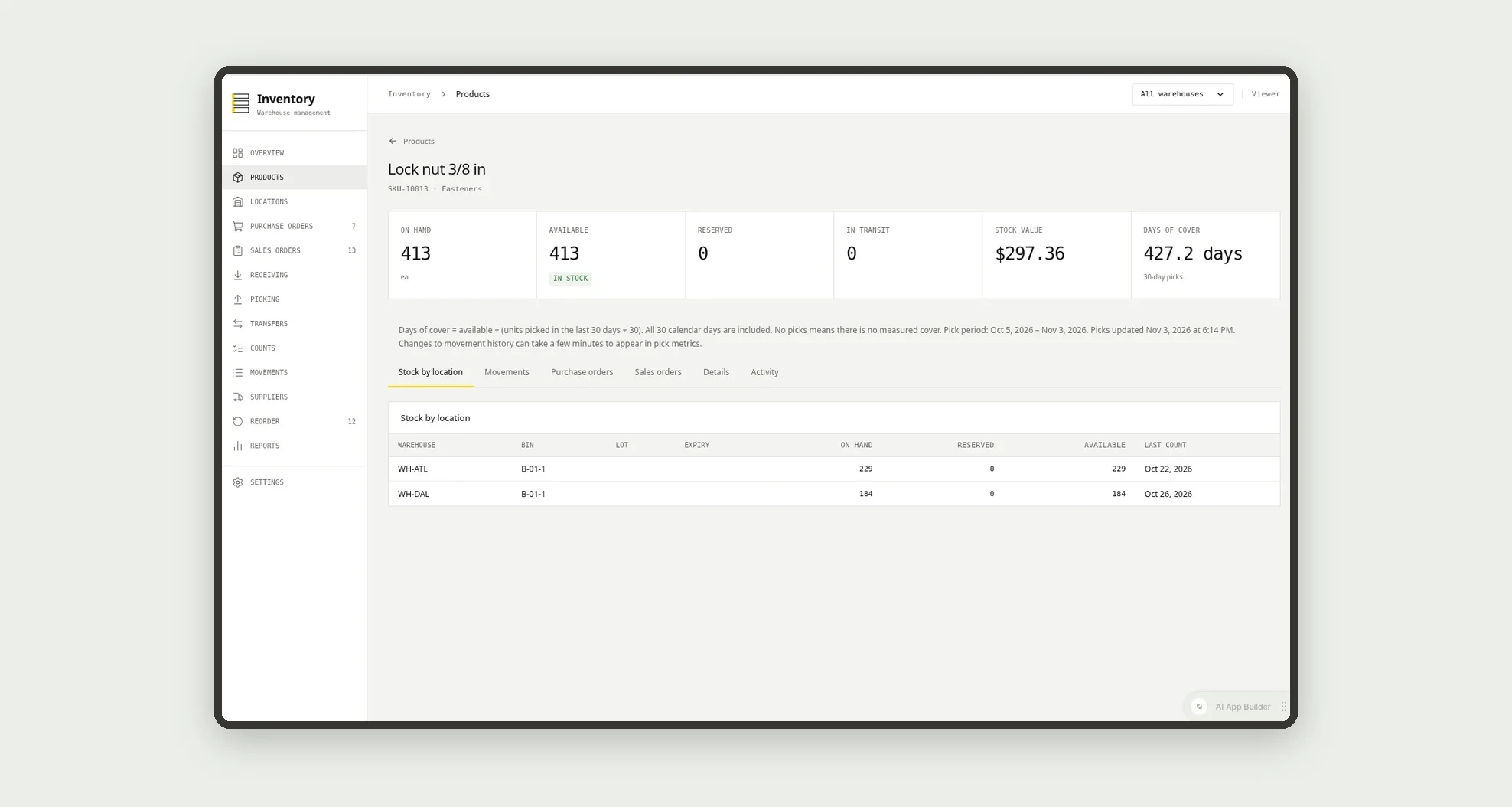
Products have a reorder point, reorder quantity and supplier.
Locations
The Locations screen covers this part of the operation.
Purchase orders
Receive purchase orders in full or in part.
Sales orders
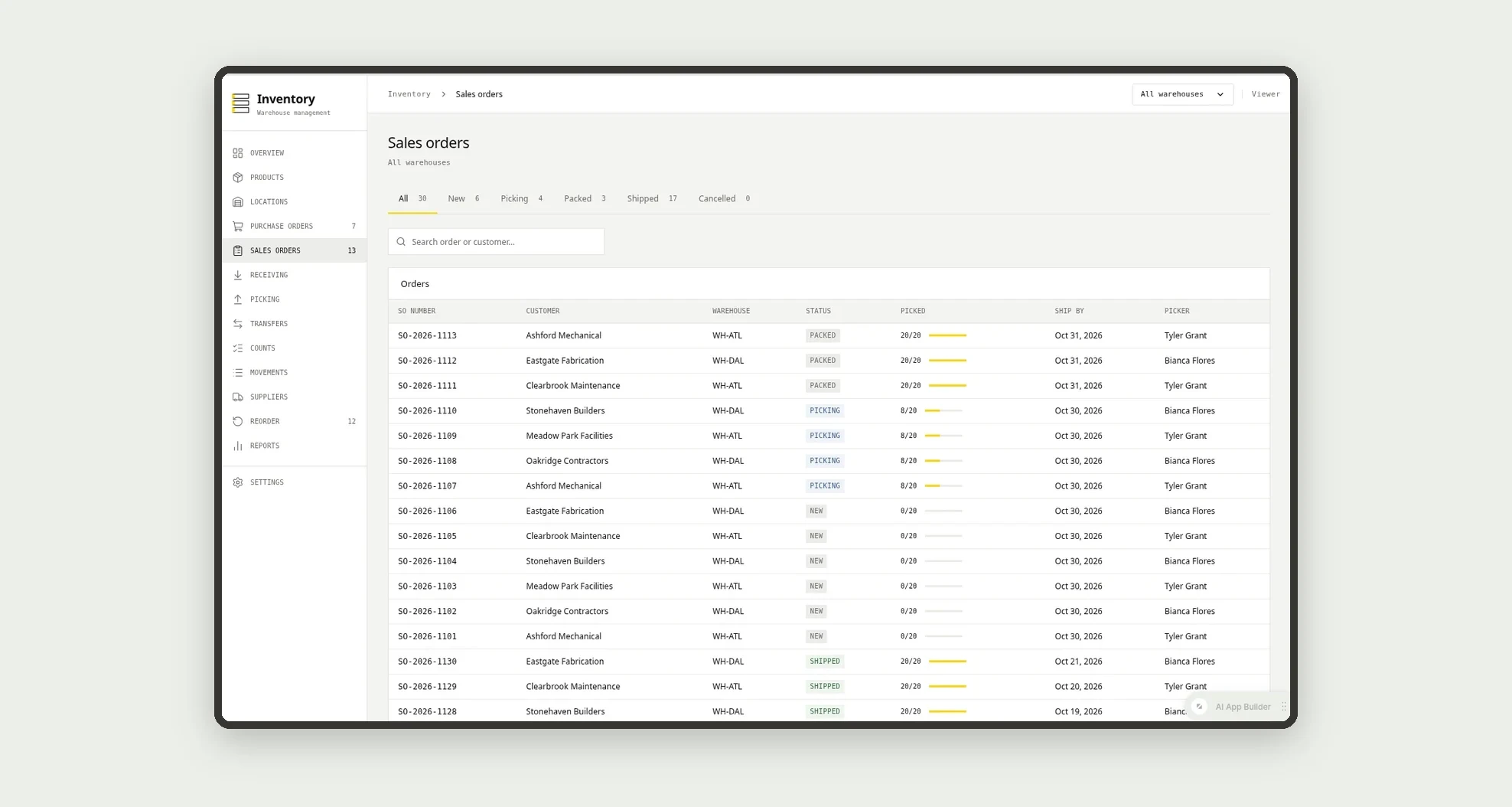
Sales orders reserve stock, are picked from bins and shipped.
Receiving
Receiving a purchase order adds stock to the receiving bin and writes a movement.
Picking
The Picking screen covers this part of the operation.
Transfers
The Transfers screen covers this part of the operation.
Counts
Run cycle counts with manager approval when the variance is above 2%.
Movements
Follow days of cover, movements and stock value in reports.
Suppliers
The Suppliers screen covers this part of the operation.
Reorder
The Reorder screen covers this part of the operation.
Reports
Follow days of cover, movements and stock value in reports.
Settings
The Settings screen covers this part of the operation.
How it works
Products have a reorder point, reorder quantity and supplier. Receiving a purchase order adds stock to the receiving bin and writes a movement.
Sales orders reserve stock, are picked from bins and shipped. Low-stock products appear in reorder suggestions, ready to become a purchase order.
Cycle counts compare expected and counted quantities and post adjustments.
How to set up this template
- 1Click Use App
Create your Jestor account and install Inventory & Warehouse Management. It works on desktop and mobile.
- 2Products have a reorder point
Products have a reorder point, reorder quantity and supplier.
- 3Receiving a purchase order adds stock to the receiving bin and
Receiving a purchase order adds stock to the receiving bin and writes a movement.
- 4Sales orders reserve stock
Sales orders reserve stock, are picked from bins and shipped.
Integrations and customization
Works on desktop and mobile; receiving, picking and counts are made for a phone. Warehouses, bins, staff and reorder defaults can be changed without code, and you can add fields, tables and automations to fit your operation.
- Adjust fields, categories, statuses and rules without code.
- Add screens, reports and automations as the operation needs them.
And that's just the start: you can edit any part of this template and go much further just by asking Jestor's AI. Describe what you need, like a new field, automation, report or integration, and the AI builds or adjusts it for you, no code required.
Frequently asked questions
How is available stock calculated?
Available is on hand minus reserved. A product is low when available is at or below the reorder point.
Does it support lots and expiry dates?
Yes. Lot-tracked products keep lot and expiry per bin, and picking uses the earliest expiry first.
Can pickers see costs?
No. The picker role receives, picks and counts without seeing costs.
Does it come with sample data?
Yes. It includes two fictitious warehouses, products, orders and movements.