What it is
A sales CRM for B2B teams that run deals through a visual pipeline. Track every deal from first contact to won or lost, keep companies, contacts and activities in one place, and see your forecast and win rate in real time.
Who it's for
- B2B sales teams of 3 to 30 people
- Sales managers who need a reliable forecast and pipeline visibility
- Founders and account executives who sell high-value deals
- Companies moving off spreadsheets to a structured sales process
What you can do
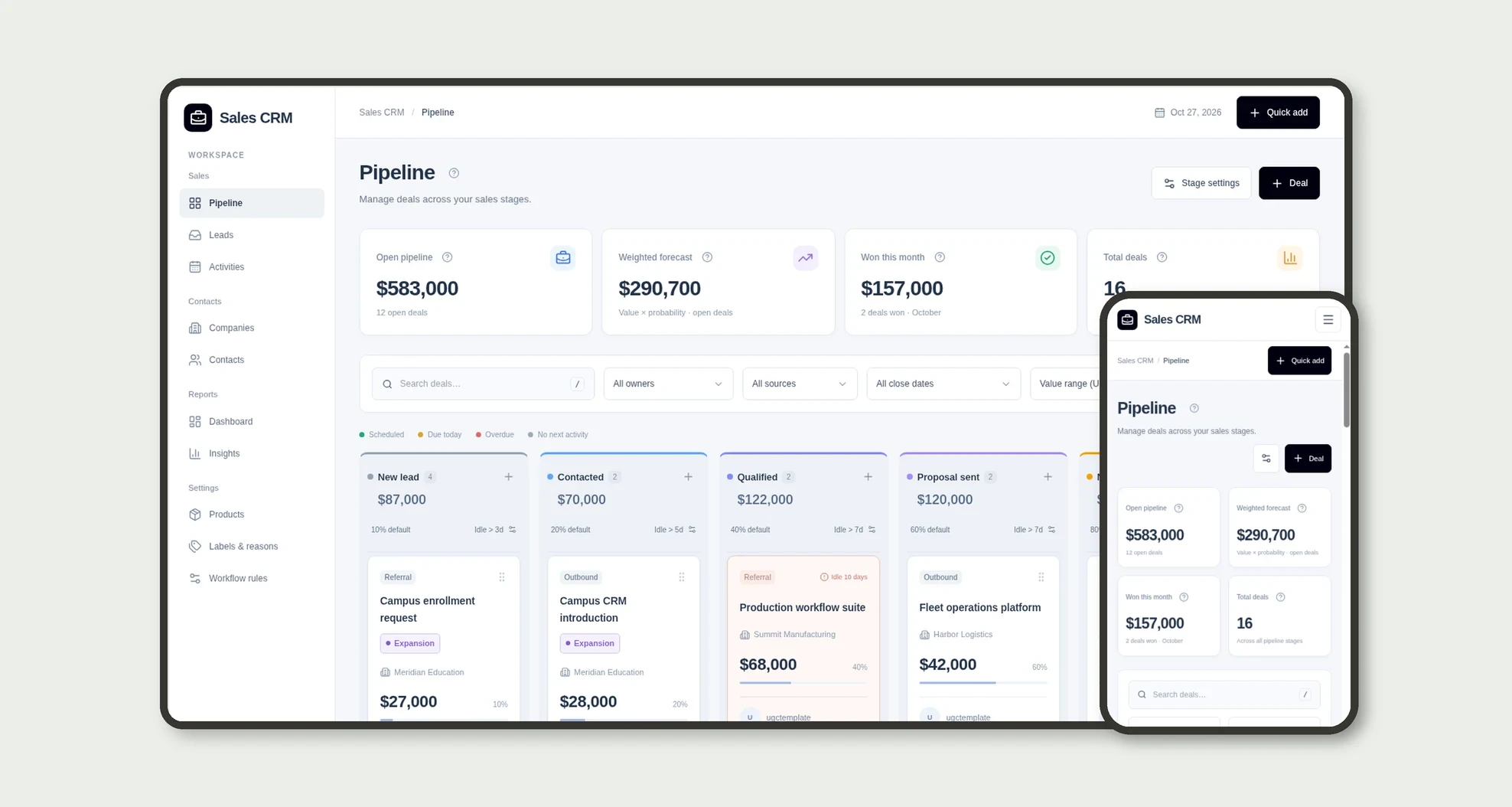
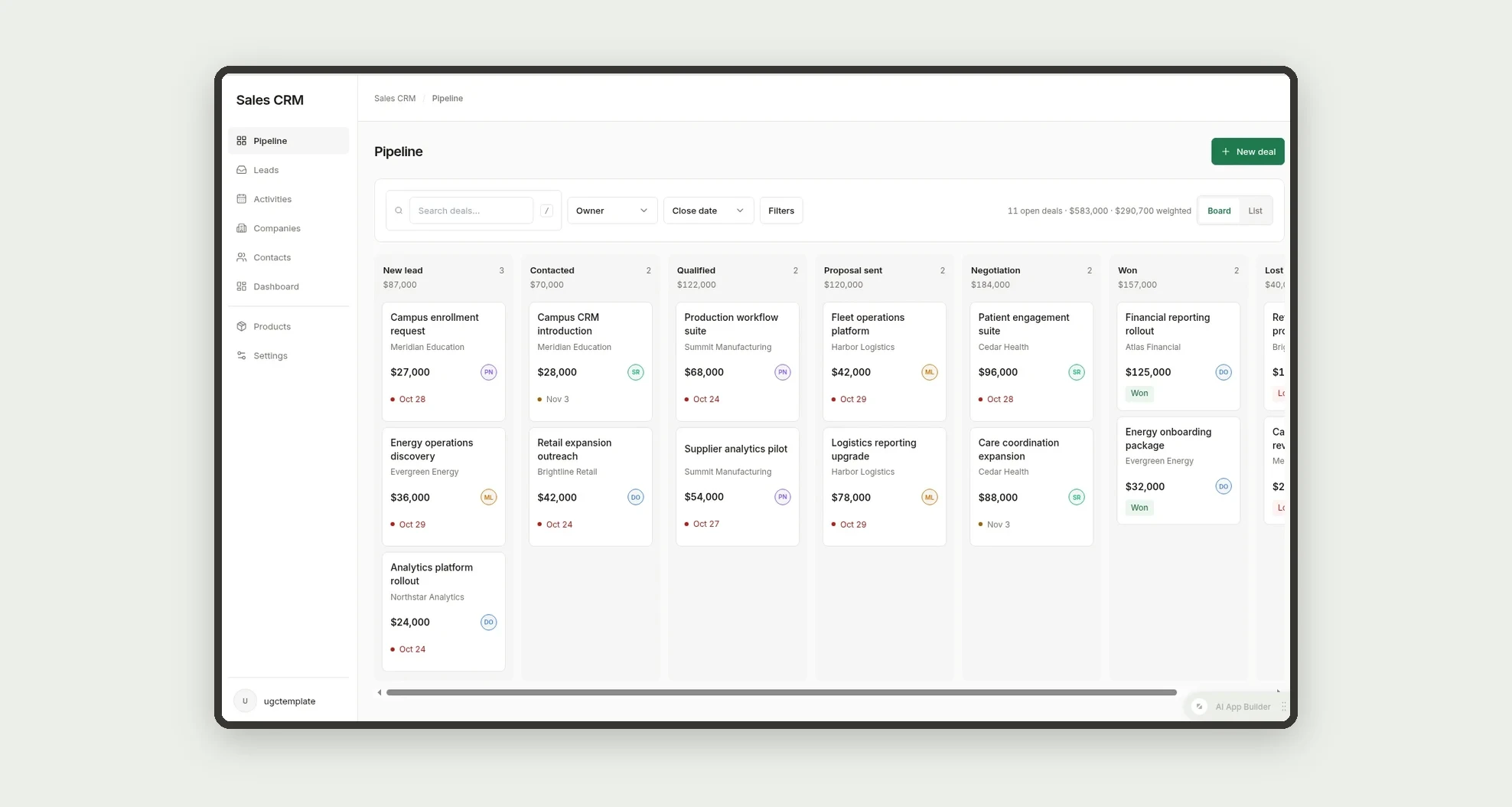
- Manage deals on a Kanban pipeline with 7 stages, totals and deal counts per column
- Spot idle deals with per-stage limits and a color indicator for the next activity
- Filter the pipeline by owner, source, close date and value range
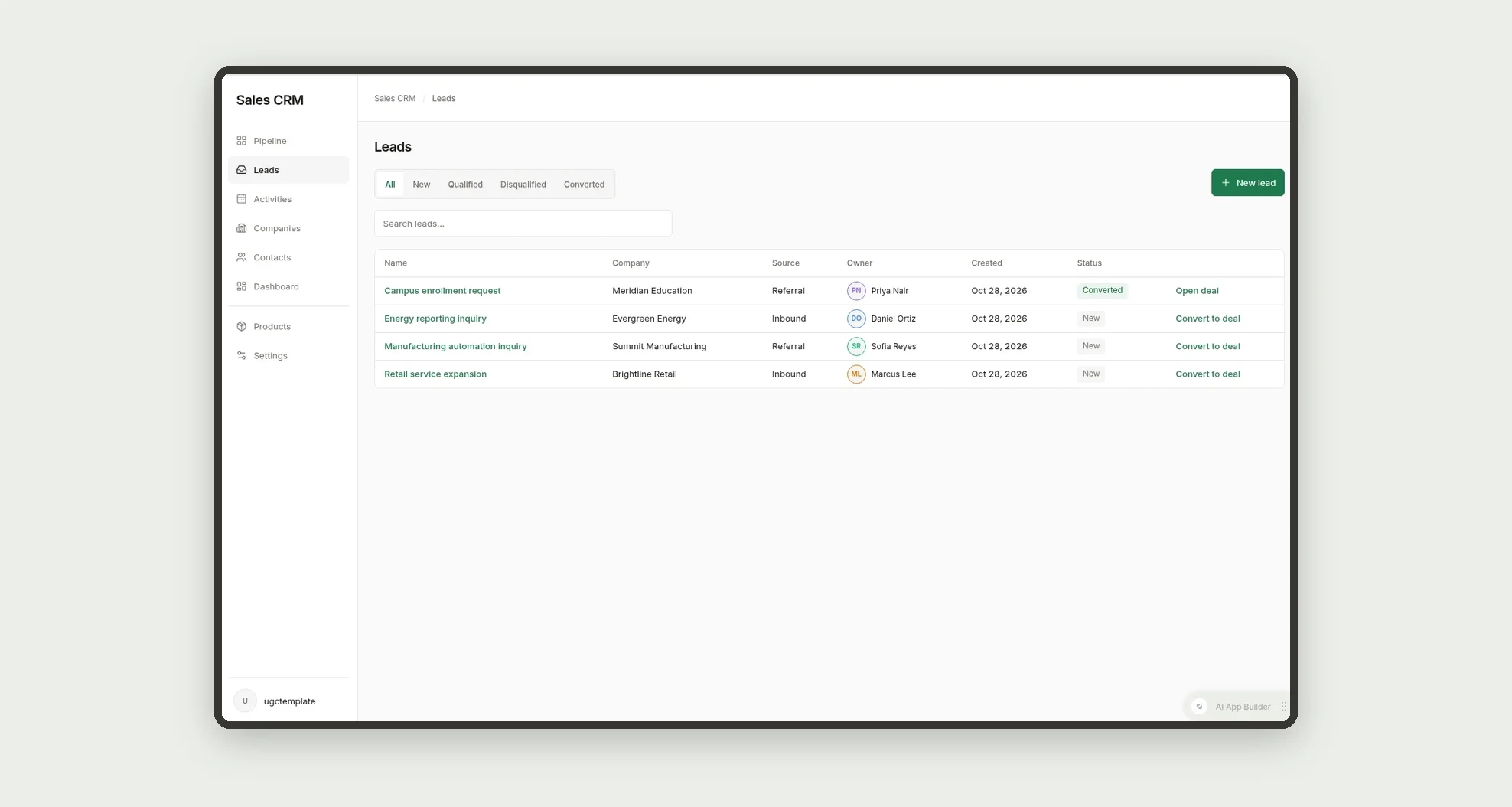
- Capture leads in a separate inbox and convert them into deals in one click
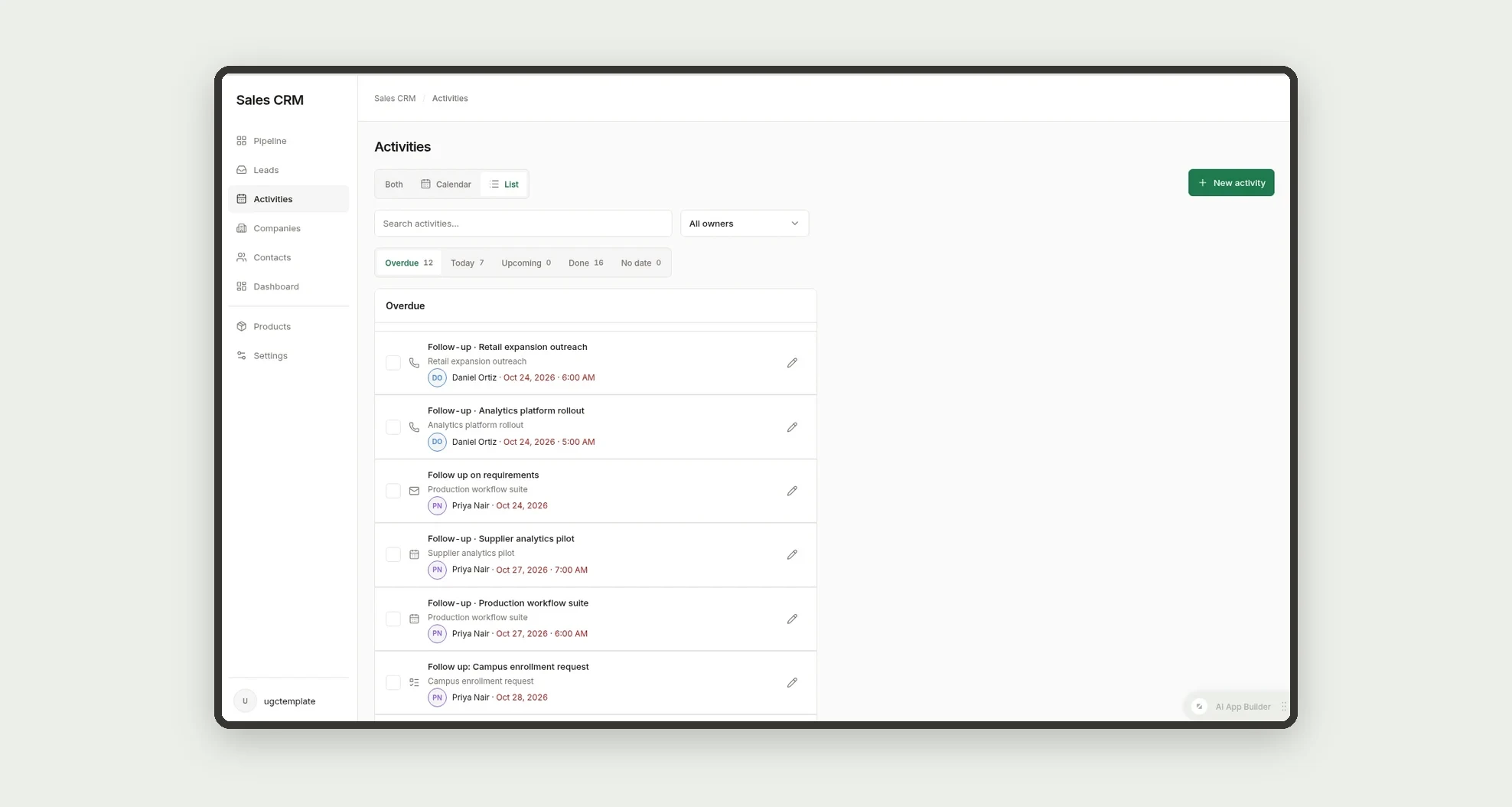
- Schedule calls, meetings, emails and tasks, and see them in a calendar or grouped by overdue, today and upcoming
- Add products to deals with quantity, unit price and discount
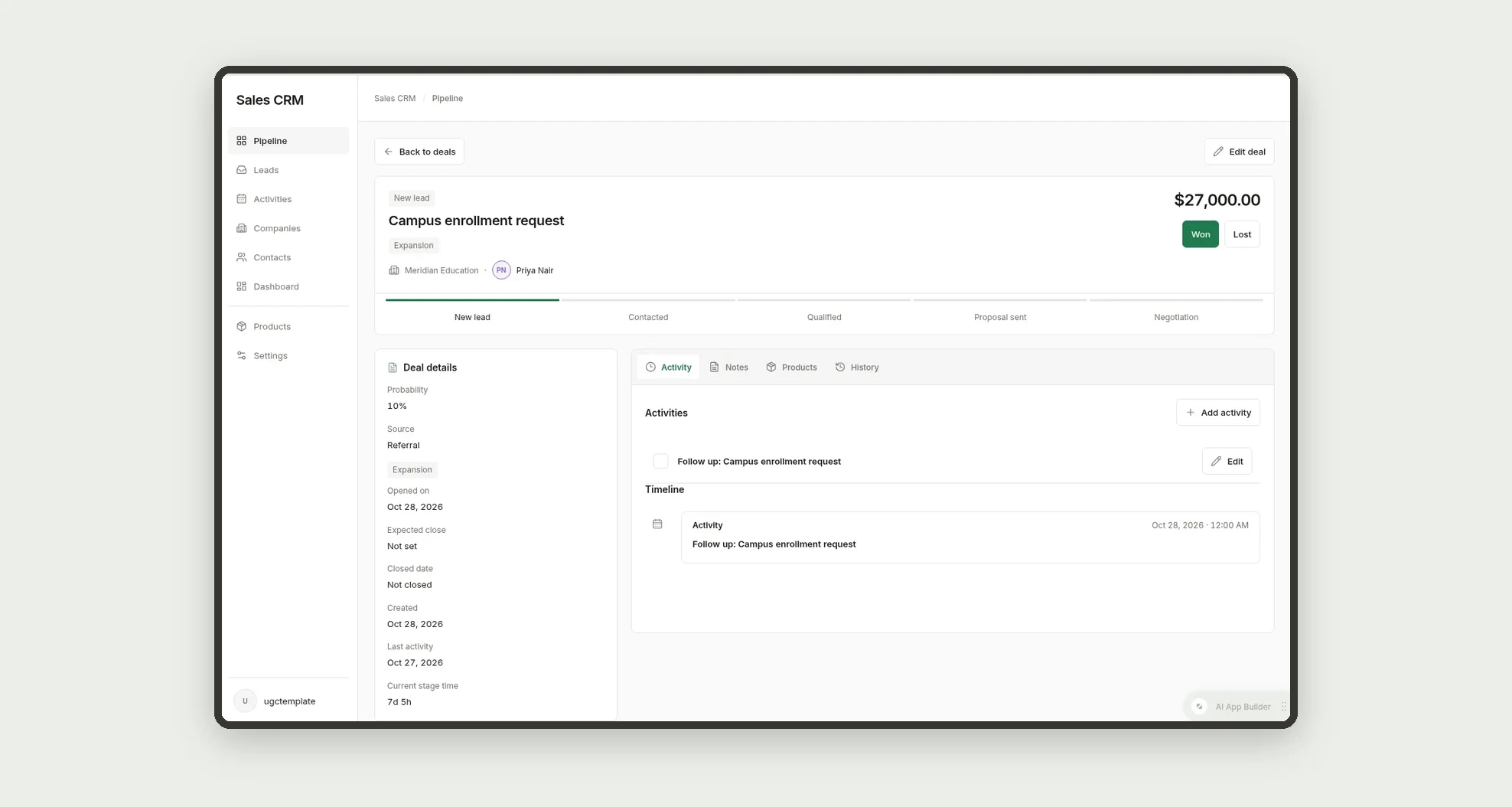
- Mark deals as won or lost, with a required loss reason
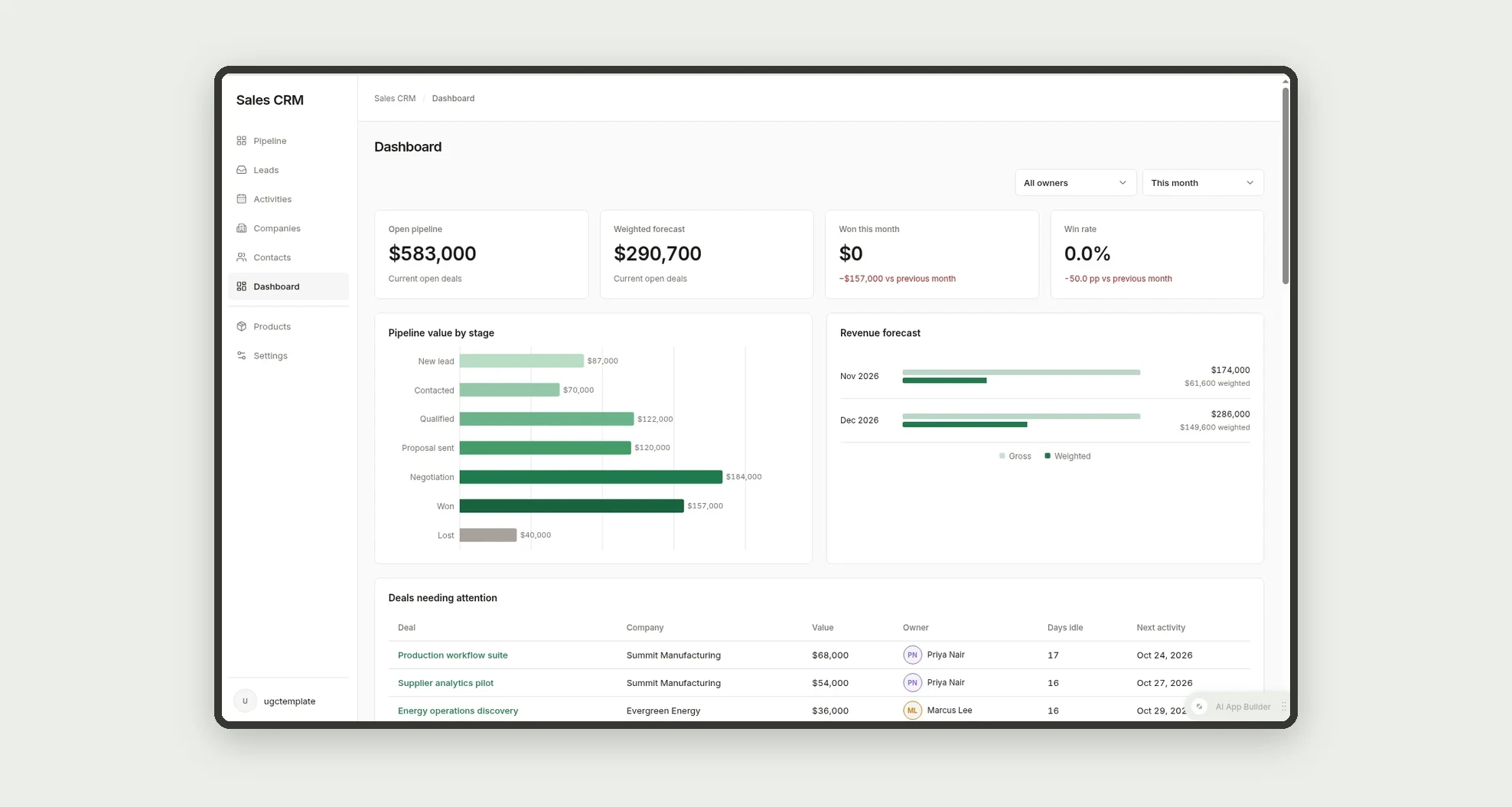
- Track open pipeline, weighted forecast, win rate and average deal size on the dashboard and insights pages
App features
Pipeline
Filter the pipeline by owner, source, close date and value range.
Leads
A lead arrives in the Leads inbox and is converted into a deal.
Activities
Activities and notes build a timeline on the deal page.
Companies
The Companies screen covers this part of the operation.
Contacts
The Contacts screen covers this part of the operation.
Dashboard
The deal is closed as won or lost, and the dashboard and insights update.
Insights
The deal is closed as won or lost, and the dashboard and insights update.
Products
Add products to deals with quantity, unit price and discount.
Labels & reasons
The Labels & reasons screen covers this part of the operation.
Workflow rules
The Workflow rules screen covers this part of the operation.
How it works
A lead arrives in the Leads inbox and is converted into a deal. The deal gets an owner, value, expected close date and an automatic follow-up activity.
The team moves the deal across the pipeline stages; probability updates by stage. Activities and notes build a timeline on the deal page.
The deal is closed as won or lost, and the dashboard and insights update.
How to set up this template
- 1Click Use App
Create your Jestor account and install Sales CRM. It works on desktop and mobile.
- 2A lead arrives in the Leads inbox and is converted into a deal.
A lead arrives in the Leads inbox and is converted into a deal.
- 3The deal gets an owner
The deal gets an owner, value, expected close date and an automatic follow-up activity.
- 4The team moves the deal across the pipeline stages; probability
The team moves the deal across the pipeline stages; probability updates by stage.
Integrations and customization
Works on desktop and mobile. Stages, default probabilities, idle limits, labels and loss reasons can be changed without code, and you can add fields, tables and automations to fit your sales process.
- Adjust fields, categories, statuses and rules without code.
- Add screens, reports and automations as the operation needs them.
And that's just the start: you can edit any part of this template and go much further just by asking Jestor's AI. Describe what you need, like a new field, automation, report or integration, and the AI builds or adjusts it for you, no code required.
Frequently asked questions
Can I change the pipeline stages?
Yes. Stage names, default probabilities and idle limits are set in Stage settings.
Does it come with sample data?
Yes. The template includes fictitious deals, companies, contacts, products and activities so you can explore every view before adding your own data.
What happens when a deal is lost?
You must pick a loss reason from a managed list, which feeds the reports on why deals are lost.
Can each salesperson see only their own deals?
You can filter the pipeline by owner and set permissions in Jestor so each role sees what it needs.
How is the weighted forecast calculated?
It adds up the value of each open deal multiplied by its probability.