What it is
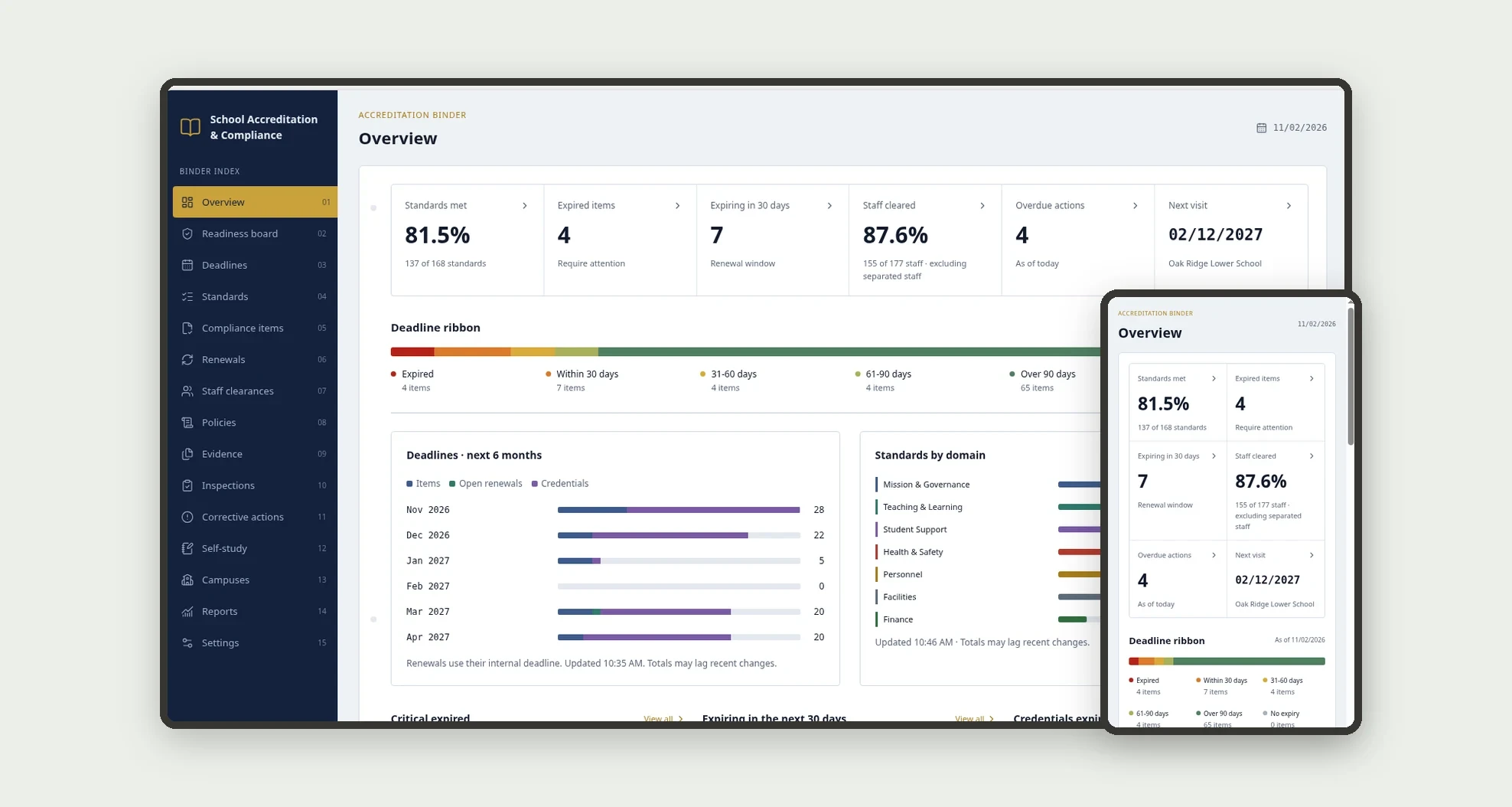
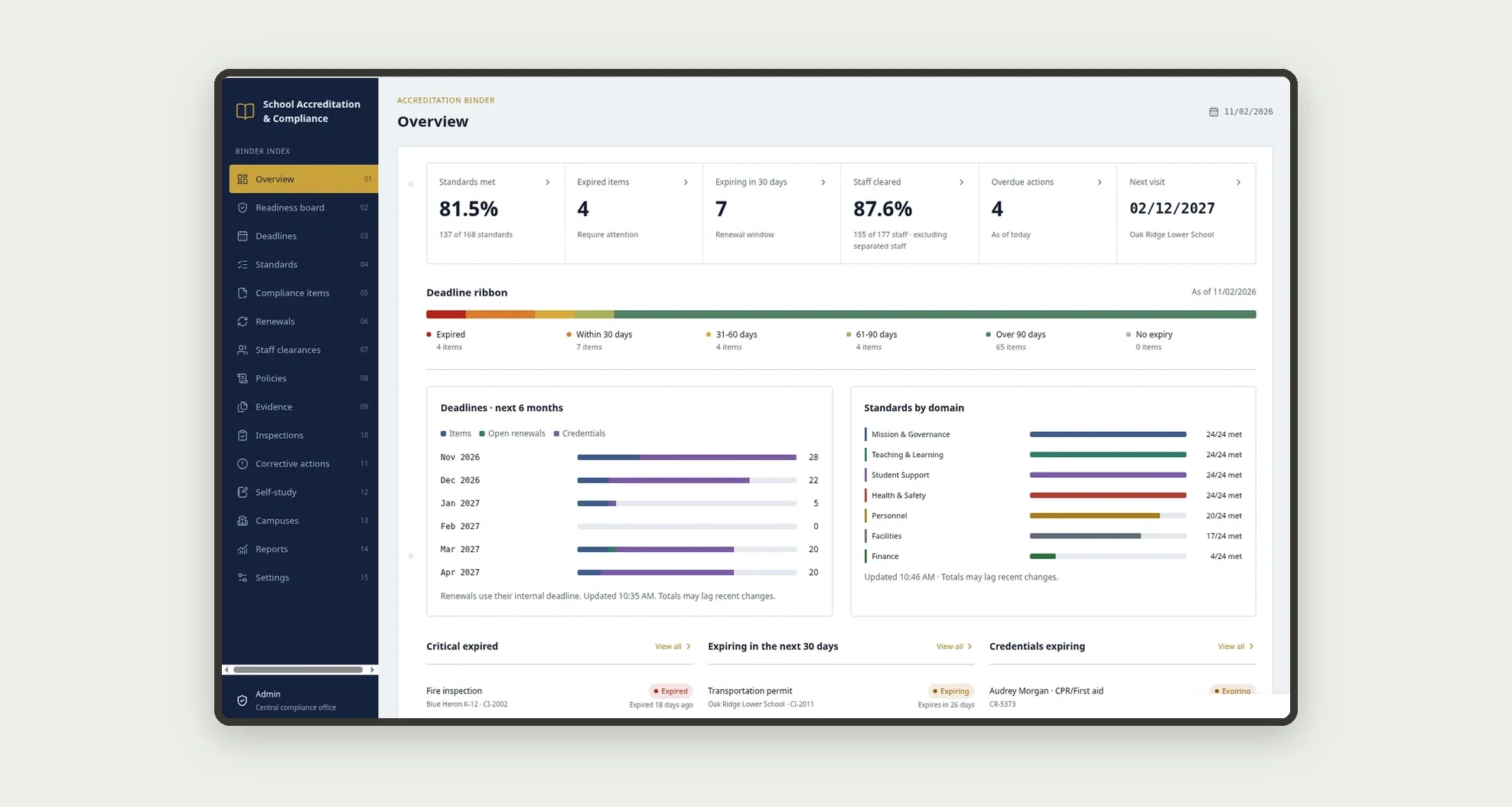
A template for private K-12 school networks to always know whether every campus is ready for its accreditation visit and for every state, health and fire requirement: accreditation standards with evidence, compliance items and renewals, staff certifications and background checks, board policies, inspections, corrective actions and the self-study. The Overview shows at a glance standards met, what is expired or expiring and how many staff are cleared.
Who it's for
- Private K-12 school networks with several campuses
- Central compliance offices preparing for an accreditation visit with your regional accreditor
- Campus leads who upload evidence and close corrective actions
- HR teams that track teaching licenses, background checks and fingerprint clearances
- Facilities teams that schedule fire, health and licensing inspections
What you can do
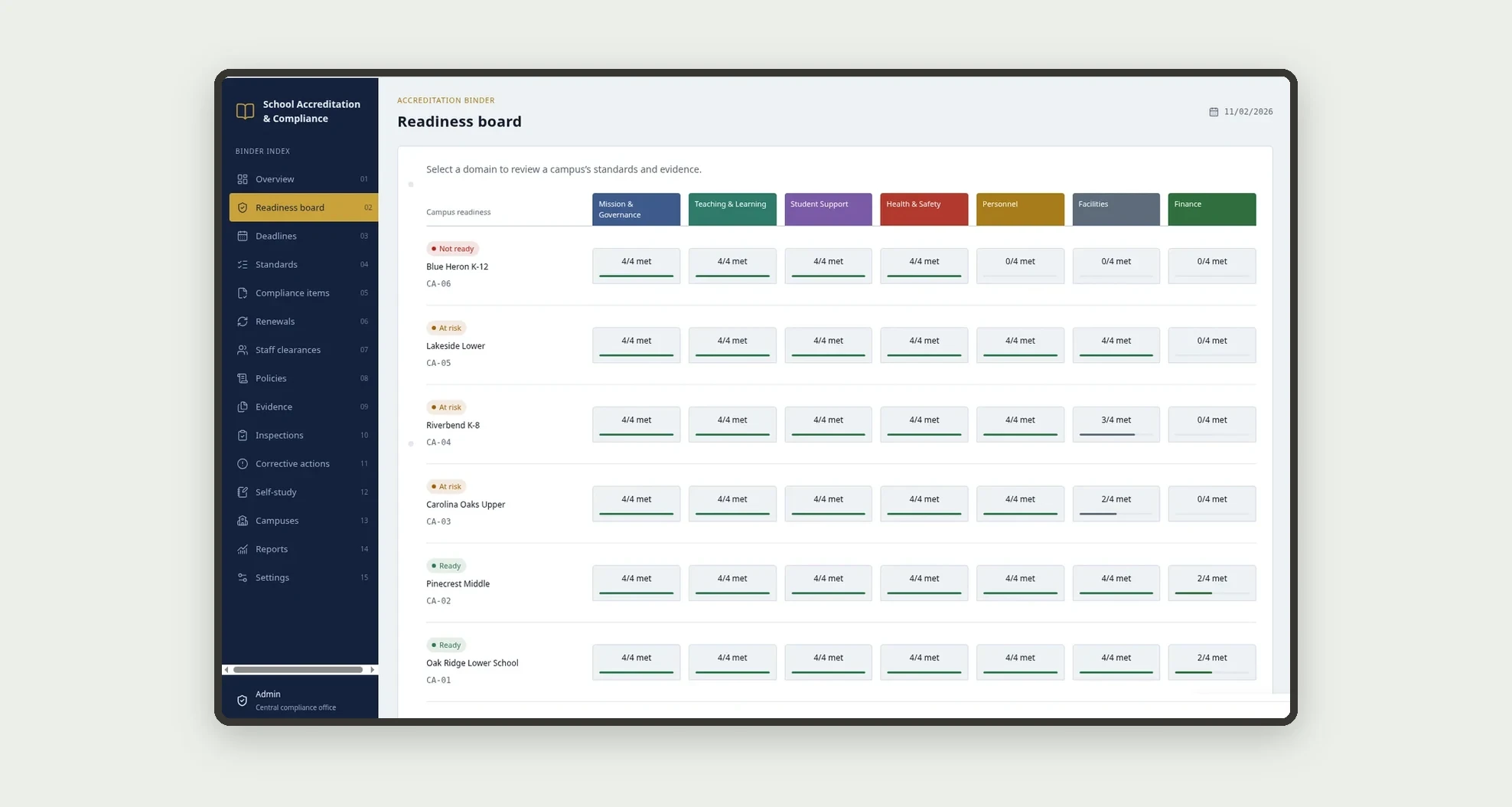
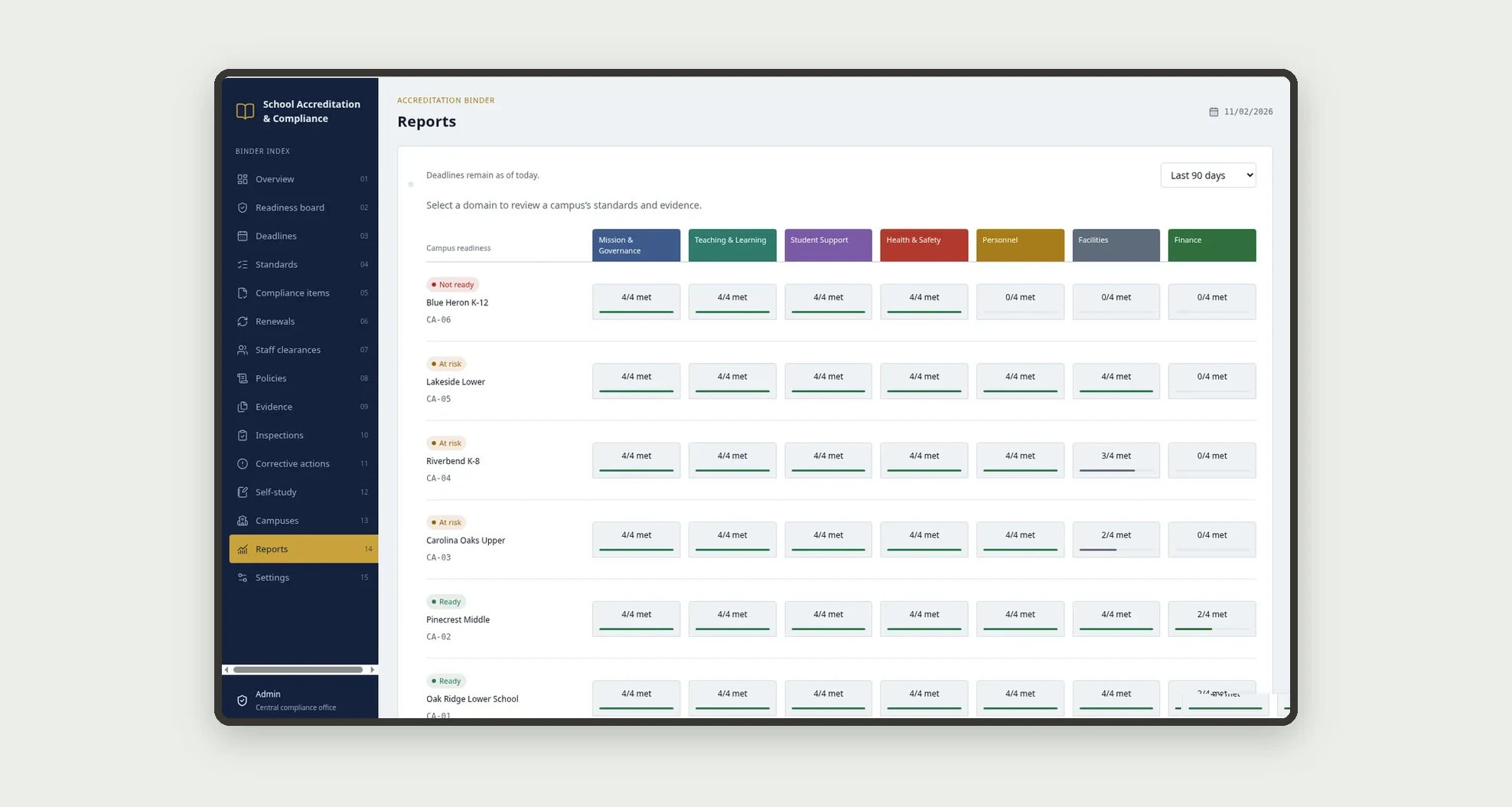
- See every campus against every standard domain on the Readiness board, with "x/y met" per domain and a Ready, At risk or Not ready seal per campus
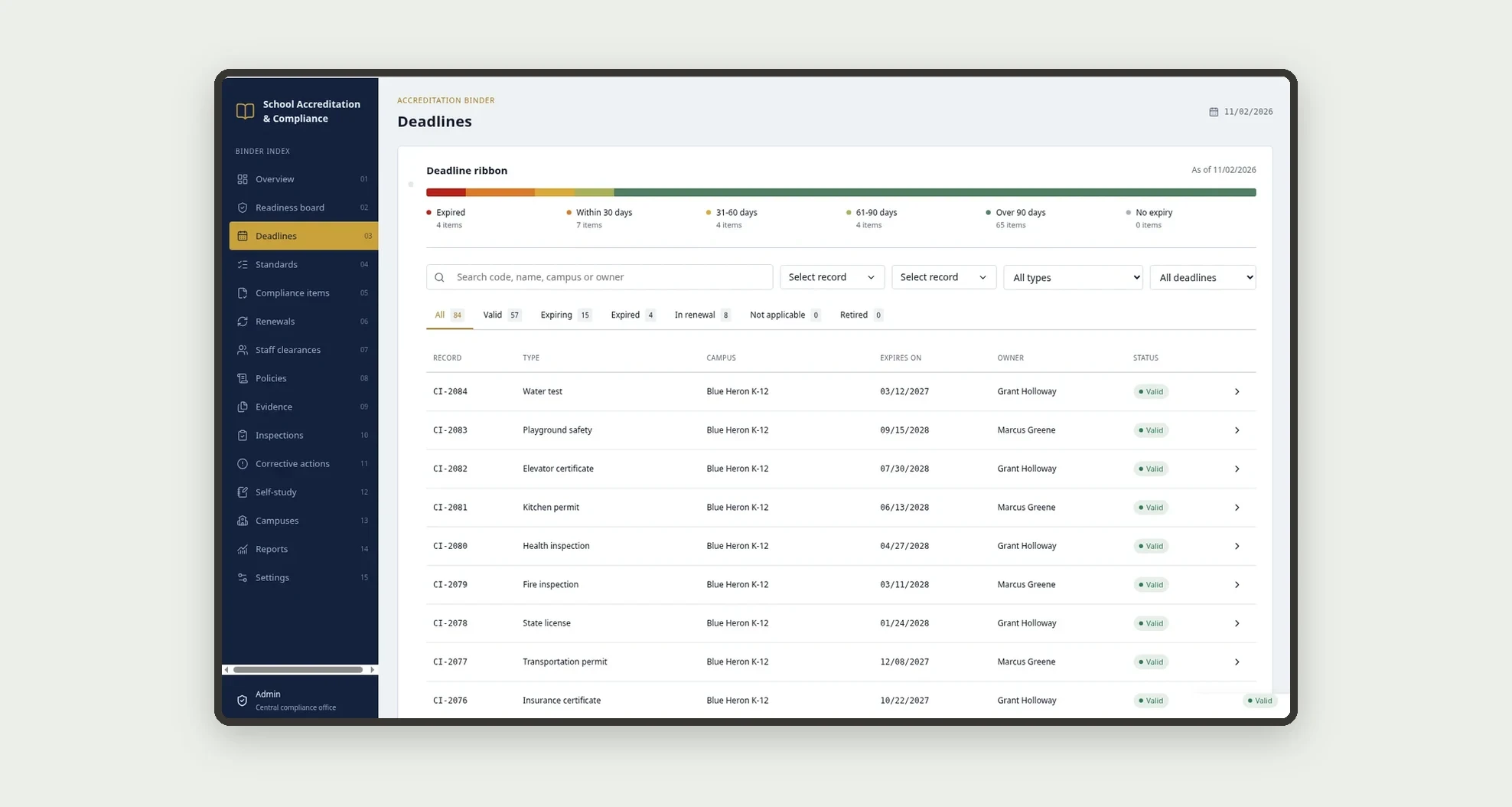
- Follow every deadline on a ribbon split into Expired, Within 30, 31-60, 61-90, Over 90 days and No expiry
- Register compliance items such as state licenses, fire and health inspections, kitchen permits and insurance certificates, with reminders at 90, 60 and 30 days
- Renew an item through the stages Gather, Submit, Inspection, Follow-up and Issued, with Leadership approval when the estimated cost is above the limit
- Attach evidence documents to campus standards, items, credentials, policies and actions
- Track staff credentials and see who is cleared, pending, expired or missing a check
- Log inspections and visits, and turn findings into corrective actions with owner, severity and due date
- Write the self-study by domain with writer, reviewer, word count and status per campus
App features
Overview
The Overview screen covers this part of the operation.
Readiness board
See every campus against every standard domain on the Readiness board, with "x/y met" per domain and a Ready, At risk or Not ready seal per campus.
Deadlines
The Deadlines screen covers this part of the operation.
Standards
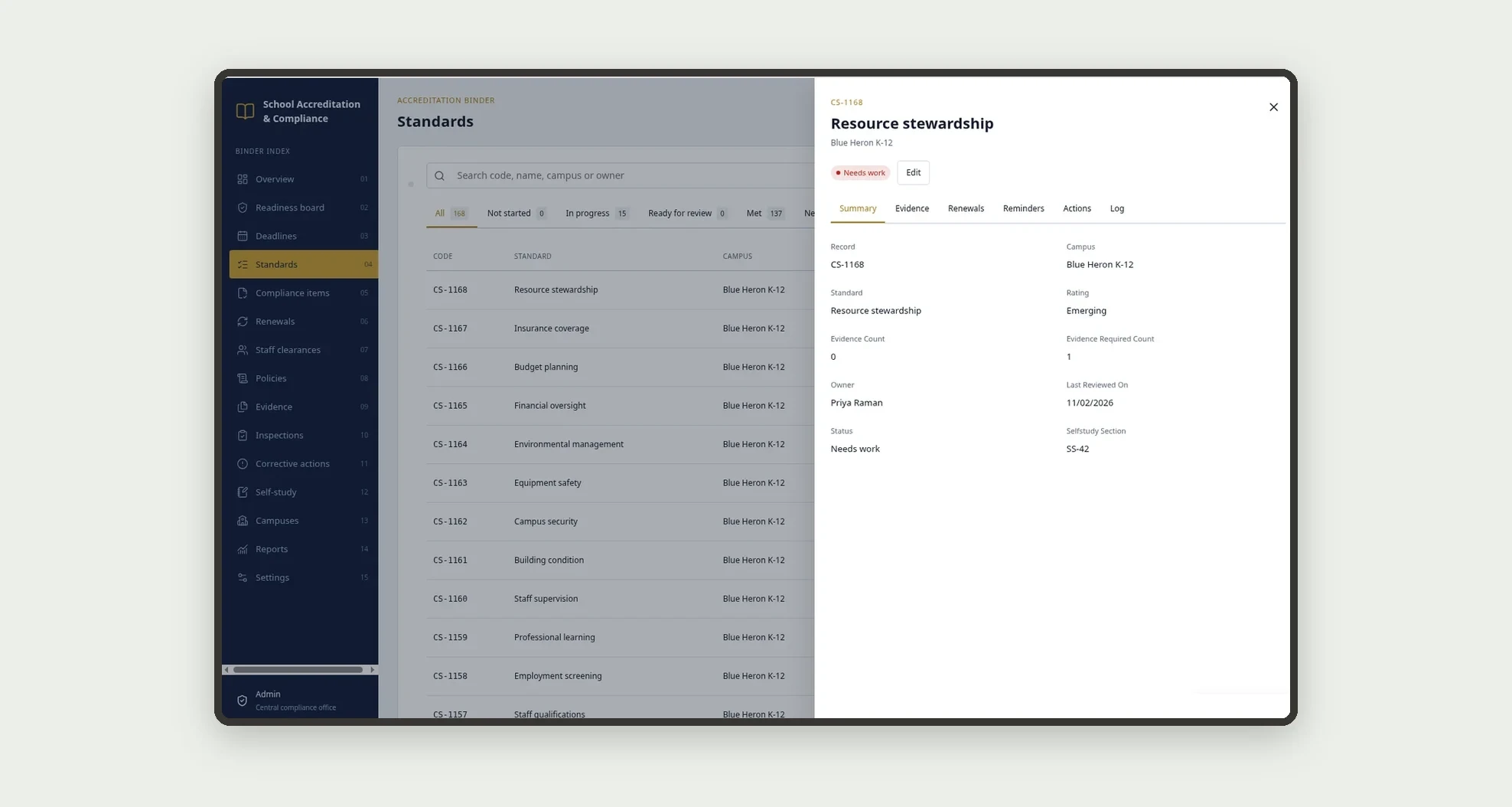
A campus is Ready when its standards met reach the threshold and no critical item is expired. Every change is saved in the Activity log.
Compliance items
Register compliance items such as state licenses, fire and health inspections, kitchen permits and insurance certificates, with reminders at 90, 60 and 30 days.
Renewals
The Renewals screen covers this part of the operation.
Staff clearances
The Staff clearances screen covers this part of the operation.
Policies
Attach evidence documents to campus standards, items, credentials, policies and actions.
Evidence
Each campus gets one campus standard per standard; attaching evidence updates the evidence count, and a standard goes to Ready for review once it has the required evidence.
Inspections
Log inspections and visits, and turn findings into corrective actions with owner, severity and due date.
Corrective actions
Log inspections and visits, and turn findings into corrective actions with owner, severity and due date.
Self-study
Write the self-study by domain with writer, reviewer, word count and status per campus.
Campuses
The Campuses screen covers this part of the operation.
Reports
The Reports screen covers this part of the operation.
Settings
In Settings, fill in the network (reminder days, cost approval limit, readiness threshold and next accreditation cycle), the team, the standards and the reminder schedule.
How it works
In Settings, fill in the network (reminder days, cost approval limit, readiness threshold and next accreditation cycle), the team, the standards and the reminder schedule. Each campus gets one campus standard per standard; attaching evidence updates the evidence count, and a standard goes to Ready for review once it has the required evidence.
A reviewer sets Met or Needs work; Needs work creates a corrective action. Each compliance item has an expiry date; the app writes its status, expiry bucket and days to expiry, and items past their date with no closed renewal become Expired.
Renewing opens a renewal; closing it asks for the new document and dates, and the app saves whether it closed on time. A campus is Ready when its standards met reach the threshold and no critical item is expired. Every change is saved in the Activity log.
How to set up this template
- 1Click Use App
Create your Jestor account and install School Accreditation & Compliance. It works on desktop and mobile.
- 2In Settings
In Settings, fill in the network (reminder days, cost approval limit, readiness threshold and next accreditation cycle), the team, the standards and the reminder schedule.
- 3Each campus gets one campus standard per standard; attaching
Each campus gets one campus standard per standard; attaching evidence updates the evidence count, and a standard goes to Ready for review once it has the required evidence.
- 4A reviewer sets Met or Needs work; Needs work creates a
A reviewer sets Met or Needs work; Needs work creates a corrective action.
Integrations and customization
The template works on desktop and mobile and can be adapted without code.
- Works on desktop and mobile; on mobile the Readiness board becomes a campus list and tables become cards
- Follows the Jestor light or dark mode automatically
- Admin, Compliance, Campus lead, HR, Facilities and Leadership roles control what each person sees; campus leads see only their campuses
- Standards, domains, item types, reminder days, approval limit, readiness threshold and fields can be adjusted without code
And that's just the start: you can edit any part of this template and go much further just by asking Jestor's AI. Describe what you need, like a new field, automation, report or integration, and the AI builds or adjusts it for you, no code required.
Frequently asked questions
How does the app decide if a campus is ready?
A campus is Ready when the share of its standards marked Met reaches the readiness threshold in Settings and it has no expired critical item. Any expired item or overdue high severity action turns it At risk.
Which items are critical?
State licenses, fire inspections, health inspections and kitchen permits. When one of them expires, the campus readiness changes right away.
When is a staff member cleared?
When both the background check and the fingerprint clearance are valid. Otherwise the staff member shows as Pending, Expired or Missing.
Can I use my own accreditation standards?
Yes. Standards and domains are records in Settings, so you can replace them with the ones from your regional accreditor without code.
Can I use the template with the sample data?
Yes. The data is fictitious and lets you explore the app before adding your own campuses, standards and items.